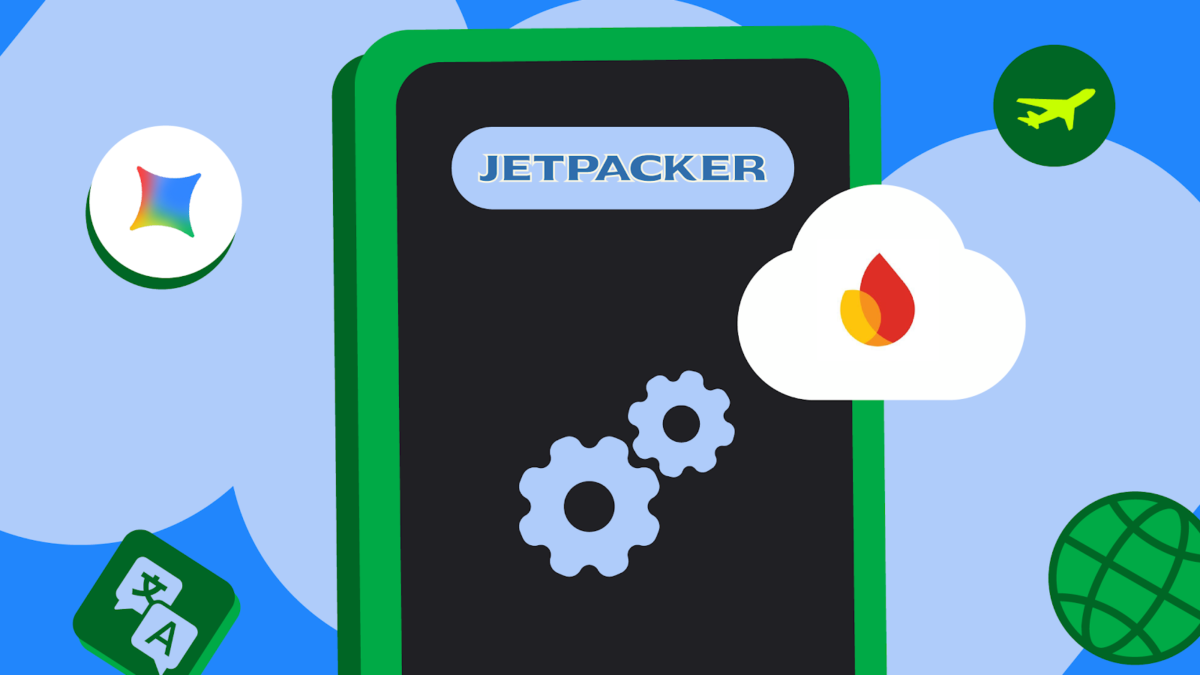
Google’s Android Developers team published a detailed walkthrough showing how to combine on-device and cloud AI in a single Android application using Firebase AI Logic, ML Kit, and the new Hybrid Inference API. The post uses a sample travel app called Jetpacker to demonstrate three production-style features: a museum assistant that grounds answers in live web data, a restaurant review tool that drafts text locally and falls back to the cloud, and a hotel chat that routes translation work between on-device and cloud models based on language. For teams evaluating where to run generative AI on Android, the material clarifies the exact routing choices, security setup, and code paths Google now recommends.
Why hybrid inference matters for Android teams
Running AI entirely in the cloud gives models access to fresh data and large context windows, but it also means every request depends on network connectivity, adds latency, and increases cloud costs. Running AI entirely on-device with Gemini Nano through ML Kit avoids those problems, but on-device models have limited world knowledge and may not be available on every device. The Hybrid Inference API, introduced alongside Firebase AI Logic, lets developers specify a preferred execution path and define a fallback. Android Developers Blog: Build intelligent Android apps: Cloud and hybrid inference
The API exposes four routing modes: PREFER_ON_DEVICE, PREFER_IN_CLOUD, ONLY_ON_DEVICE, and ONLY_IN_CLOUD. Developers choose a mode when constructing the generative model, and the runtime executes accordingly. If a device lacks Gemini Nano and the mode is PREFER_ON_DEVICE, the request automatically routes to the cloud. That single configuration replaces the branching logic many teams currently maintain across separate client and server stacks. For teams already using Android Jetpack for architecture and lifecycle management, the Hybrid Inference API fits into the same modular setup without requiring a rewrite of existing ViewModel or repository layers. The API’s integration with Jetpack’s architecture components simplifies adoption, allowing developers to leverage familiar patterns while adding AI capabilities. This alignment reduces the learning curve and accelerates implementation timelines for teams invested in the Jetpack ecosystem.
Grounding cloud answers in real-world context
The museum assistant in Jetpacker demonstrates how to keep a chatbot accurate for time-sensitive questions such as opening hours, ticket prices, and current exhibits. Cloud models possess broad world knowledge, but they do not know about seasonal events or day-specific schedules unless that information appears in their training data. Firebase AI Logic supports three grounding types: URL grounding, which feeds the model content from a specific webpage; Google Search grounding, which queries the real-time search index; and Maps grounding, which injects location data.
In the sample implementation, the app dynamically builds a tool list based on feature flags. When URL grounding is enabled, the app appends museum resource URLs directly to the message. When Google Search grounding is enabled, the model can query live search results. The code initializes the generative model with GenerativeBackend.googleAI() and the gemini-3-flash model name, then attaches the selected tools. Developers who want a single starting point for AI-assisted Android experiences can review Google’s Kotlin and Android guidance to align grounding logic with idiomatic coroutine and flow patterns. By following Kotlin-first practices, teams can ensure their grounding implementations are concise, safe, and interoperable with existing coroutine-based codebases, reducing boilerplate and improving maintainability.
Routing on-device review generation with Maps deep links
The restaurant review feature shows how to prioritize local execution for privacy-sensitive or latency-sensitive tasks. The app initializes a hybrid model with InferenceMode.PREFER_ON_DEVICE, specifying gemini-3.1-flash-lite as the on-device candidate. When a user triggers a review draft, Gemini Nano generates the text locally if supported; otherwise the cloud model handles the request. After generation, the app copies the review to the clipboard and opens Google Maps directly to the restaurant’s review page using a place ID.
This pattern matters because it decouples the user experience from cloud availability. A traveler in an area with poor data coverage can still draft a review, and the app avoids cloud costs for devices that can handle the inference locally. The four routing modes give teams fine-grained control: PREFER_IN_CLOUD for bandwidth-heavy tasks that still need offline resilience, ONLY_ON_DEVICE for sensitive data that must never leave the phone, and ONLY_IN_CLOUD for tasks that require the largest context window. By explicitly defining fallback behavior, teams can create resilient AI features that gracefully degrade based on device capabilities and network conditions, improving user satisfaction and reducing support overhead.
Custom routing for multilingual hotel support
The hotel support chat introduces a more complex scenario: real-time translation between the guest’s language and the hotel’s local language. The app uses system instructions to give the model a persona—for example, a French-speaking receptionist at a specific hotel with fixed breakfast and bar hours. Because the persona must speak the hospital’s language but the guest may write in any language, the app implements a custom routing stack.
First, ML Kit’s Language Identification API detects the incoming message language. Then a simple rule decides whether to translate on-device or in the cloud. In the sample, English and Korean are verified for on-device translation with Gemini Nano; all other languages fall back to gemini-3-flash in the cloud. The app maintains two model instances—one on-device and one cloud—and prefixes the output with [On-Device] or [Cloud] for debugging. Teams can expand this logic to consider network connectivity, battery state, model version, or even cost signals from their backend. The takeaway is that hybrid inference is not limited to a single model choice; it is a framework for building adaptive AI pipelines. This flexibility allows teams to optimize for cost, performance, and privacy simultaneously, tailoring the AI execution to specific user contexts and business requirements.
Securing AI calls with Firebase App Check
Any app that calls cloud AI endpoints from a mobile client must defend against API key abuse and unauthorized billing. Jetpacker integrates Firebase App Check using Play Integrity in production and a local Debug Provider for emulator work. During local development, the debug provider prints a token secret to logcat; developers enter that secret into the Firebase Console allow list, and local requests are then fully verified. For implementation details, see the Firebase App Check documentation.
In JetPackerApplication.kt, the app installs the debug provider factory at startup and triggers anonymous authentication to establish a secure session. The same binary running on a user’s phone uses Play Integrity instead, so the backend can distinguish genuine app instances from scripts. This matters for any team shipping AI features that depend on Firebase AI Logic or similar cloud backends: the security layer is optional in the SDK but essential in production. By implementing App Check early, teams prevent malicious actors from exploiting their AI endpoints, protecting both user data and cloud resources. This proactive security approach builds trust and ensures compliance with data protection regulations, which is increasingly important for AI-powered applications handling sensitive information.
Practical takeawers for decision-makers
The blog post is not just a feature announcement; it is a reference implementation. The code snippets show the exact Gradle dependencies for firebase-ai-logic, firebase-ai-ondevice, and ML Kit language identification. They also show how to combine those dependencies with existing Android architecture components. For organizations evaluating Android AI strategy in 2026, the post confirms that Google expects hybrid inference to become the default pattern rather than a special case.
For further reading, see our article on Android Developer Verification and our guide to open-source AI models worth running in 2026. Teams evaluating Android AI strategy in 2026 should also review the official Firebase AI Logic documentation and the Android Developers Blog for implementation details.
Developers should treat the four routing modes as architectural choices rather than performance optimizations. PREFER_ON_DEVICE is the right default for consumer apps that need offline resilience and lower cloud spend. PREFER_IN_CLOUD fits enterprise apps where data freshness matters more than latency. ONLY_ON_DEVICE fits regulated or privacy-first workflows, and ONLY_IN_CLOUD fits tasks that demand the largest context window or most capable model. The grounding options add another dimension: URL grounding for known data sources, Search grounding for broad current events, and Maps grounding for location-aware responses. By combining these options, teams can create sophisticated AI features that adapt to real-world constraints while maintaining high accuracy and user satisfaction.
For teams already invested in Kotlin and Jetpack, the sample code follows standard patterns—viewModelScope, Tasks.await, and ClipData for clipboard operations. That lowers the adoption cost because the new AI logic does not require a new framework or language. The sample also demonstrates how to test locally with App Check debug tokens, which shortens the feedback loop for developers working on emulators. This streamlined testing process accelerates iteration and helps teams identify issues early in the development cycle.
If your team is exploring how to add AI to an existing Android codebase without rebuilding the architecture, the hybrid inference model offers a path that respects both user experience and operational budget. The official documentation and sample app on GitHub provide the exact classes and configuration needed to try the pattern with a minimal proof of concept. By starting small and iterating based on feedback, teams can validate the approach before scaling to more complex use cases, minimizing risk and maximizing return on investment.