Most “AI agents” are just a chat completion wrapped in a while loop. That loop — call the model, read its tool request, run the tool, feed the result back — is the entire idea. This run-book gets a real, tool-using agent running on your machine in roughly an hour, using the Anthropic agent SDK, and shows the failure modes that stop most first attempts.
By the end you’ll have an agent that can call a function you define, see the result, and continue reasoning. That’s the foundation every production agent is built on.
What you need before you start
- Python 3.10+ and a terminal you’re comfortable in.
- An Anthropic API key exported as
ANTHROPIC_API_KEYin your shell. - About 30 lines of code, total. No framework internals to memorize.
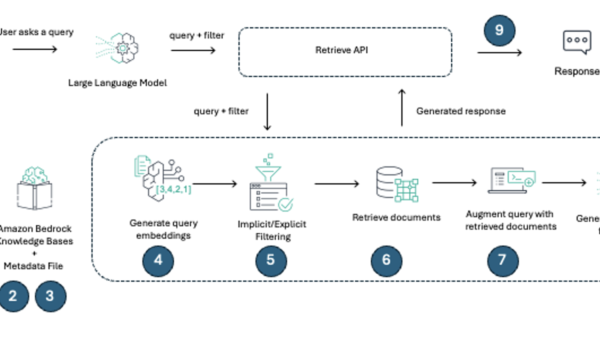
The agentic pattern — a model that requests tool calls and a runtime that executes them — is described directly in the Anthropic agentic frameworks overview, which is the mental model this run-book follows.
Step 1 — Install the SDK
Create a clean workspace and install the client:
mkdir first-agent && cd first-agent
python -m venv .venv && source .venv/bin/activate
pip install anthropic
export ANTHROPIC_API_KEY="sk-ant-..."
Confirm the key is loaded with echo $ANTHROPIC_API_KEY before moving on. A blank value produces silent, confusing 401s later.
Step 2 — Define one tool
Agents don’t magically “do” things; they emit a structured request and your code executes it. Start with a single, obviously-safe tool — a calculator — so you can watch the loop without side effects:
tools = [{
    "name": "calculator",
    "description": "Evaluate a basic arithmetic expression.",
    "input_schema": {
        "type": "object",
        "properties": {"expression": {"type": "string"}},
        "required": ["expression"],
    },
}]
The description matters more than it looks. The model reads it to decide when to call the tool, so write it like documentation for a teammate, not a label.
Step 3 — Run the agent loop
This is the whole agent. Call the model, check for a tool call, run it, append the result, repeat:
from anthropic import Anthropic
client = Anthropic()

messages = [{"role": "user", "content": "What is 14 times 39, then add 7?"}]
while True:
    resp = client.messages.create(
        model="claude-opus-4-20250514",
        max_tokens=1024,
        tools=tools,
        messages=messages,
    )
    if resp.stop_reason != "tool_use":
        print(resp.content[0].text)
        break
    tool_use = next(b for b in resp.content if b.type == "tool_use")
    result = str(eval(tool_use.input["expression"]))  # demo only
    messages.append({"role": "assistant", "content": resp.content})
    messages.append({"role": "user", "content": [
        {"type": "tool_result", "tool_use_id": tool_use.id, "content": result}
    ]})
The model returns stop_reason == "tool_use" when it wants to call a tool. You run the tool, then append both the assistant turn and the tool result as a user message. Drop either one and the next call errors or forgets the context.
Step 4 — Verify it actually looped
Run the script. You should see the model call calculator with "14*39", receive 546, then call it again with "546+7", and finally print the answer. If it answers 553 without calling the tool, your input_schema or description was too vague — tighten the description.
The mistakes that break first agents
- Forgetting
tool_result. The loop silently dies or the model claims it “can’t” use tools. Always append the result message keyed bytool_use_id. - Side-effecting tools on step one. Never start with file deletion or webhooks. Use read-only or pure functions until the loop is proven.
- No
max_tokensheadroom. If the model needs a long tool result and you capped tokens too low, it truncates mid-thought. - Trusting model-supplied code. The
evalabove is for the demo. In real agents, parse and validate tool inputs; never execute raw model output as code.
For a second perspective on the same loop with a different SDK, the OpenAI Agents guide mirrors this exact structure — model proposes, runtime executes, result returns. The vocabulary differs; the loop doesn’t.
Where to go next
Add a second read-only tool (a weather or search stub), then a guard that rejects tool calls touching the filesystem. Once the loop is boring and reliable, you have an agent — everything else is tool design and safety boundaries.