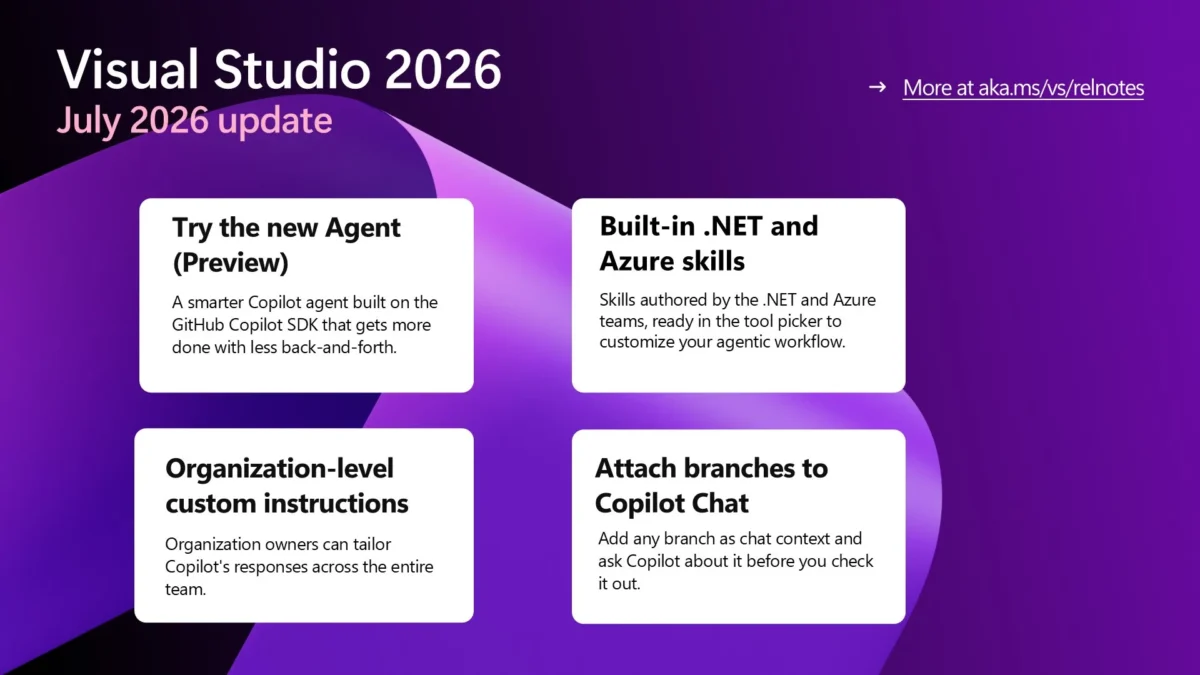
GitHub shipped an update to Copilot in Visual Studio on July 30, 2026, introducing a new agent built on the Copilot SDK, a suite of built-in skills authored by .NET and Azure teams, and organization-level custom instructions for enterprise customers. The changes are available now in the Stable Channel, though the agent itself remains in preview.
The new Agent (Preview)
The Agent (Preview) option appears in the Copilot Chat agent picker at the bottom of the Visual Studio 2026 window. Built on the same GitHub Copilot SDK that powers the GitHub Copilot CLI, it handles multi-step coding tasks with less back-and-forth between user and model. Responses are designed to be shorter and easier to scan, reducing the time developers spend reading agent output before deciding what to act on.
The agent is accessible from the bottom of the Copilot Chat window in Visual Studio 2026. Users can select “Agent (Preview)” from the picker and direct it at feature changes, bug fixes, refactors, and other day-to-day tasks. It can also transition work between surfaces — a user might start a task in the CLI or VS Code and continue it in Visual Studio when ready. GitHub’s July 2026 changelog confirms the Agent (Preview) is built on the Copilot SDK and details the full scope of the update.
The agent is available across all Copilot plans, including the free tier. The agent is built on the Copilot SDK, which is also the foundation for the GitHub Copilot CLI, providing a consistent agent experience across GitHub’s product surface. Users can start in the CLI, GitHub app, VS Code, or Visual Studio, then transition that work into Visual Studio when ready to review, refine, or continue the change. Responses are shorter and easier to scan, so developers spend less time reading agent output before deciding what to act on. GitHub notes that the agent is still in preview and that user feedback shapes where it goes next; users can send feedback through Help > Send Feedback > Report a Problem. For a broader look at how Copilot’s agent architecture compares to competitor tools, see our GitHub Copilot agentic harness hits parity with vendor tools analysis.
Built-in .NET and Azure skills
Visual Studio now ships with built-in skills authored by experts on the .NET and Azure teams. These skills appear in the “Built-in” category of the tool picker whenever the matching workload is installed. They are off by default, so developers review and enable only the ones relevant to their current task.
The skills provide expert guidance tailored to specific stacks — for example, a .NET skill can help navigate framework-specific APIs and patterns, while an Azure skill can assist with cloud deployment configurations. Hovering over a skill reveals its description and file path, and a three-dot menu opens the full skill or its folder location. Microsoft’s Visual Studio blog details the new built-in .NET and Azure skills and the agent-powered workflow.
Selected-code review and organization-level instructions
Two additional features are included in the update. Selected-code review lets developers highlight a block of code, right-click, and invoke Copilot Actions > Review Selection to receive inline comments that can be applied or used as the basis for Copilot-generated suggestions. The sparkle icon on any comment applies a suggestion directly.
Organization owners on GitHub Copilot Business or Enterprise can now add custom instructions that apply across the entire organization. These shared preferences eliminate the need for per-developer configuration and automatically apply to repositories belonging to the organization. They appear in the reference list and can be disabled under Tools > Options > GitHub > Copilot > Copilot Chat. The plan requirements and sign-up status are documented on GitHub’s Copilot plans page.
For more on how Copilot handles context and routing across these features, see our GitHub Copilot context handling and token routing piece.
Availability and pricing
The new agent, built-in skills, and selected-code review are available in all Copilot plans. Organization-level custom instructions require Copilot Business or Copilot Enterprise. GitHub has paused new self-serve sign-ups for Copilot Business on GitHub Free and Team plans as of April 22, 2026.