Free-play weekends are the one promotion where the publisher hands you the entire game — campaign, multiplayer, the lot — and asks nothing for it. The catch is the clock: somewhere between 48 and 96 hours after you hit install, the title locks itself and drops out of your library unless you pay. For a $30–$60 release that is the most honest demo you will ever get, because nothing is gated behind a tutorial slice. The trick most players miss is that the games are not hard to find, but they are easy to miss if you only look at the front page.
As of the July 2026 run, Steam bundled its Free Play Days with the console programs — Xbox and PlayStation run parallel “Free Play Days” events — so the same weekend often hands you a PC title and a console title at once. The Steam side is the one you can act on from a laptop, and it is the one this walkthrough covers in full, with the console steps tacked on at the end.
Where the free games actually live
Steam does not send a banner to every account. The Free Play Days collection shows up in three places, and checking all three matters because the lineup rotates and not every title appears in every view.
The first stop is the store search filter. Open the Steam client or the website, go to the store, and search the phrase “Free Play Days” — the event usually gets its own curated hub page that lists every participating title with a countdown timer under each one. The hub page is the only place that shows the exact end time per game, which is the number you actually care about when you are deciding whether a 15-hour campaign is realistic before Monday.
The second stop is your Library. Games you have wishlisted or that Steam thinks you will like sometimes appear there with a green “Play for free” button even when they are not on the hub. This is the quiet path — Steam surfaces free weekends to people whose wishlist or play history matches the genre, so a wishlisted title can show up ready to install without you ever visiting the event page.
The third is the store page of the game itself. A title in a free weekend displays a “Play [Game] Now” button where the price normally sits, with the timer underneath. If you already know you want The Alters (app 1601570) or Get Stuffed! (app 1098130) — two of the recent Steam Free Play Days participants — you can skip the hub entirely and go straight to the store page. Both pages are public and show the live free-play state directly:

Image: Steam
Installing in under two minutes
Once you have the game in front of you, the install is identical to buying it — you just skip the checkout.
- Click Play [Game] Now on the store page, or Install from the hub card.
- Steam opens the usual “Choose install location” dialog. Pick your drive and confirm.
- The download starts immediately. Free-weekend builds are the full game, so expect the same size as a paid copy — The Alters is roughly 40 GB, Get Stuffed! closer to 12 GB.
- When the bar finishes, the button flips to Play. You are in.
There is no code to redeem and no “add to cart” step. If you ever see a paywall where the free-play button should be, the weekend has already ended for that title or your region is not part of the event — both show the price instead of the timer.
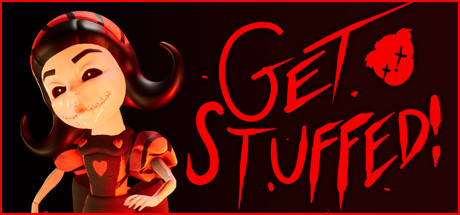
Image: Steam
What happens when the timer hits zero
This is the part that surprises people. When the free period ends, the game does not delete your files. It stops launching. Steam keeps the local install on your drive but greys the Play button out and restores the price. Two things follow.
Your save data survives. Because free weekends run the identical build a purchaser gets, your progress writes to the same save location. If you buy the game later, your saved campaign picks up where the trial left off. That makes a free weekend genuinely useful for the “will I like this” question rather than a throwaway tease — you are not starting over if you convert.
Your install eventually gets cleaned. Steam does not auto-delete the files, but a full library or a manual “uninstall” clears them, and they count against your disk until then. If you are on the fence, leave the files for a day or two after the trial in case you buy during the post-event discount that publishers frequently run.
The discount that usually follows
Publishers almost always discount the game for a short window right after the free weekend ends — typically 10–25% for a week. If you played enough to know you want it, waiting the extra day for the post-event sale beats buying mid-trial. If you are undecided, buying inside the trial locks in the lower price and keeps your save intact without a gap. The hub page and the store page both show the sale price the moment the trial converts, so there is no guessing.
Console Free Play Days, in one paragraph
Xbox runs its own Free Play Days on the same July 2026 calendar, and the console path is simpler: open the Xbox app or the Microsoft Store on your console, search “Free Play Days,” and the participating titles show a Free Play button instead of a price. Games like MLB The Show 26 (a console-exclusive that does not appear on Steam) show up here rather than on PC. Installation is the same one-tap model — no code, no cart — and saves carry over to a purchase identically. PlayStation mirrors this with its own weekend trials through the PlayStation Store. The only real difference from Steam is that you cannot pre-wishlist your way to a quieter notification; you check the store hub directly.
A few habits that pay off
Wishlist the games you are curious about before the event. As noted, Steam promotes free weekends into the Libraries of people whose wishlist or play history matches, so a wishlisted title can surface the moment the trial opens instead of you hunting the hub. Turn on library notifications so the green button does not pass you by over a quiet weekend. And if your drive is small, pick one title per weekend — the full-game downloads are large, and juggling two 40 GB trials at once is how people run out of space mid-campaign.
Free Play Days are the rare promotion with no catch beyond the clock. Find the hub, install like you already own it, keep your save, and decide after the timer instead of before it.