Phone scams impersonating Kraken Support remain a persistent threat, with fraudsters using caller ID spoofing to trick users into sharing sensitive account details or authorizing fraudulent transactions. Until recently, verifying whether a callback truly originated from Kraken was impossible for users receiving calls over standard phone lines, creating a significant security gap that scammers actively exploited.
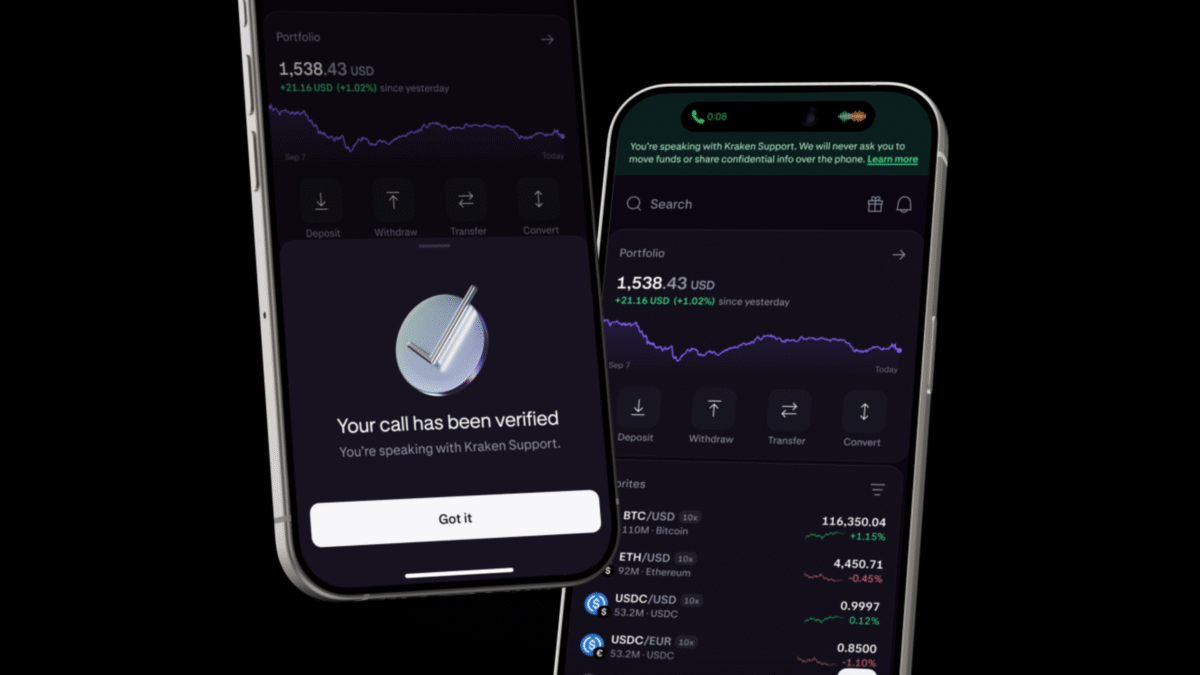
Kraken has now closed this gap by extending its real-time verification system to support callbacks made over standard telephone lines (Kraken Security Blog). When a Kraken Support agent calls you back on a regular phone line after you’ve initiated contact through the app, email, or chat, their systems automatically flag the call as verified the moment your case becomes active with the agent. You’ll see a confirmed banner appear in real time within the Kraken or Kraken Pro app, providing immediate visual confirmation that you’re speaking with a legitimate representative.
This verification works alongside a new one-time code feature designed for additional assurance. During any support call—whether initiated through Kraken Voice (the in-app support line) or a standard phone callback—you can request that the agent read back the verification code currently displayed in your Kraken app. If the code spoken by the agent matches what appears on your screen, you possess cryptographic proof you’re communicating with someone who has legitimate access to your Kraken Support case. Importantly, Kraken will never ask you to share this code proactively; the verification process requires you to initiate the code challenge.
For calls that cannot be verified as legitimate, Kraken has implemented stronger warnings to protect users. If an active call lacks verification status, you’ll now see a clear warning within the app advising you to hang up and report the incident. This warning appears before any sensitive actions, such as attempting to withdraw funds or change account settings, and is accompanied by reminders of common scam tactics and direct reporting options. The system specifically targets the permission-free detection approach Kraken employs on Android, which monitors call activity without accessing audio, contacts, or phone numbers, preserving user privacy while extending coverage to voice calls made through apps like Telegram and Signal.
Users receiving unexpected support calls should treat them as immediate red flags, as Kraken only initiates callbacks following prior contact through official channels. When in doubt, hang up and report the call directly through the Kraken app or website—a practice that helps shut down scam patterns faster. For comprehensive protection, users should consult Kraken’s dedicated guide on protecting oneself from scams, which details additional safeguards including bookmarking the official sign-in URL, verifying website addresses, and never sharing wallet seed phrases online (Kraken Scam Protection Guide).
This verification system builds upon Kraken’s existing security infrastructure, which includes the Kraken apps ecosystem for convenient crypto transactions (Kraken Apps) and the recent acquisition of Magic Labs’ wallet business by Kraken’s parent company Payward. For more on this strategic move, see our coverage of Kraken’s parent acquiring Magic Labs’ wallet business. The layered approach combines real-time call verification, user-initiated code challenges, and proactive scam education to address one of the most prevalent attack vectors in cryptocurrency security.