Mozilla released Firefox 152 for desktop and Android in June 2026, pairing immediate usability upgrades with a public Firefox product roadmap outlining planned AI, productivity, and cross-device privacy features [https://blog.mozilla.org/en/firefox/firefox-roadmap-152/]. The update is available to all existing Firefox users on supported desktop and Android devices as of the June 2026 release window.
Firefox 152 adds redesigned settings and native Android tab groups
The most noticeable immediate change in Firefox 152 is a fully redesigned settings experience, announced via Mozilla’s official Firefox blog. All existing user preferences, including privacy controls, extension settings, and sync configurations, are preserved in the updated layout [https://blog.mozilla.org/en/firefox/firefox-settings/]. The new layout consolidates previously scattered settings into clearly labeled top-level categories. This streamlines access to frequently used settings categories, reducing the number of clicks required to adjust core browser preferences for common tasks like enabling tracking protection or managing extension permissions. For example, users can now toggle Enhanced Tracking Protection on or off directly from the primary Privacy & Security menu, rather than navigating through three separate submenus as in previous Firefox versions.
The update also expands mobile tab management with native tab groups for Android, a feature previously only available via third-party extensions. The implementation lets users group related tabs into named, color-coded groups to reduce clutter from multiple open tabs [https://blog.mozilla.org/en/firefox/firefox-roadmap-152/].
Users can create, rename, and reorder tab groups directly from the Android tab switcher, with group state synced across devices via Firefox Account.
For example, a user can group work-related tabs (such as project management tools, internal company docs, and team chat apps) into a single blue-labeled group, and personal shopping or social media tabs into a separate green-labeled group, switching between them in one tap.
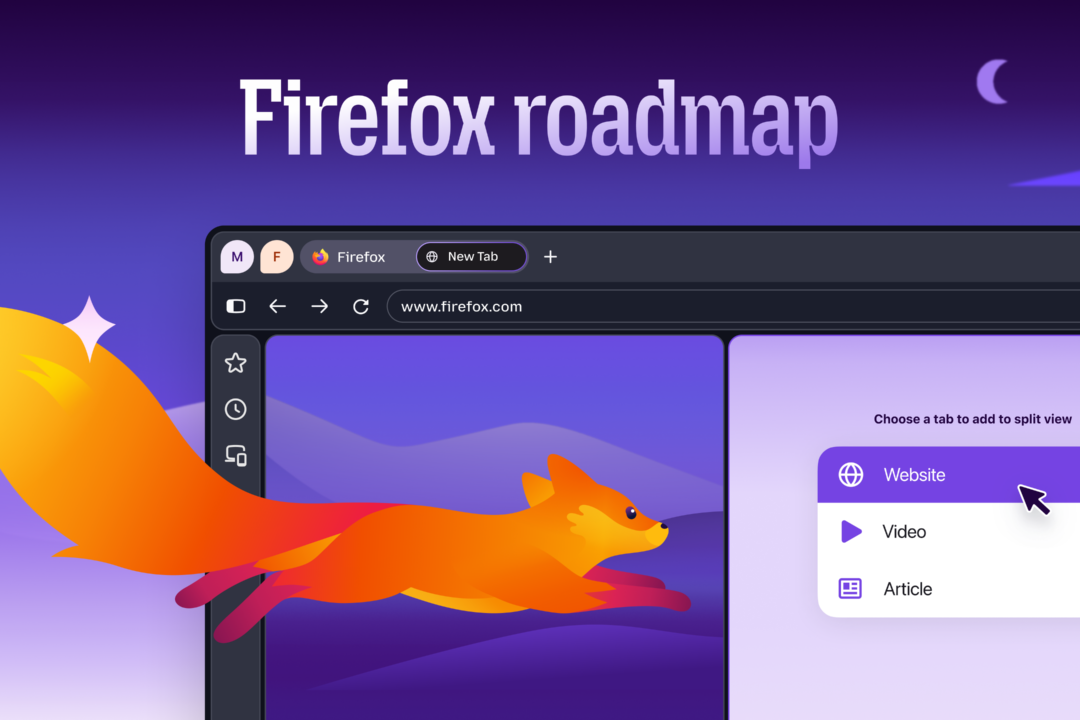
Public roadmap details seven planned features across five investment areas
The public roadmap is hosted on Mozilla’s official website, giving users a centralized view of in-development Firefox features. All features are organized around five core investment areas: productivity, privacy, performance, AI, and web platform improvements [https://blog.mozilla.org/en/firefox/firefox-roadmap-152/]. All roadmap items are publicly visible, with no paywalled or developer-only access to feature timelines, and each entry includes a development status tag (Not Started, In Progress, or Shipped) updated weekly by Mozilla’s product team.
Seven planned features span all five investment areas, with targeted use cases for different user needs, as outlined in Mozilla’s June 2026 roadmap announcement:
– Customizable keyboard shortcuts, one of Firefox’s most requested user features per the public roadmap, will let users remap default shortcuts to match personal workflows, accessibility needs, or routine tasks across desktop and Android platforms. For example, users can remap the default Ctrl+T (Windows/Linux) or Cmd+T (macOS) new tab shortcut to automatically open a pre-defined work tab group with a single keystroke.
– Built-in PDF editing tools will let users split, merge, and reorganize PDF documents directly in the browser, eliminating the need for external software for basic document tasks. The tools will support standard PDF formats, with all processing performed locally on the user’s device to avoid uploading sensitive documents to external servers.
– Multi-Account Containers, previously accessible only as a separate Firefox extension that lets users separate work, personal, and other browsing activities to avoid cross-site tracking, will be built natively into Firefox, removing the need for users to install an add-on to access the feature. The native implementation will sync container assignments and isolated cookie stores across all devices linked to a user’s Firefox Account.
– Firefox’s existing free built-in VPN for desktop will expand to iOS and Android devices, extending cross-device privacy protection for use cases including public Wi-Fi use, international travel, and remote browsing, at no additional cost for Firefox account holders. The iOS VPN launch coincides with Apple’s June 2026 announcement of updated App Store compliance requirements for the Brazilian market, which include new mandatory privacy disclosure rules for network and VPN tools [https://www.apple.com/newsroom/images/2026/06/apple-announces-changes-to-ios-in-brazil/tile/Apple-App-Store-compliance-hero-lp.jpg.og.jpg].
– Quick Answers, a new voice-activated AI feature, will let users ask Firefox questions via voice and receive concise, sourced answers directly in the browser. Responses will include citations to the original source material, with no browsing data sent to external servers for processing.
– Smart Window, Mozilla’s optional private AI browsing experience, will summarize web content and compare information across multiple sources for users, with all processing performed on-device to avoid transmitting browsing data to external servers. The feature will support summarizing long-form web content, with users able to adjust summary length to match their needs.
– Power Saving Mode, an Android-exclusive feature, will automatically identify resource-heavy background tabs and reduce their system impact to extend battery life, without requiring users to manually close background tabs. The feature will be enabled by default for all Firefox 152 Android users, with an option to disable it in the browser’s battery settings.
These integrated AI features align with a broader industry trend of embedding AI tools into consumer-facing platforms. For example, Google’s Dataland AI art museum, launched in June 2026, uses on-device AI to power interactive public exhibits that generate personalized art based on visitor input [https://blog.google/company-news/outreach-and-initiatives/arts-culture/dataland-ai-art-museum/].
Mozilla’s cross-device privacy focus also aligns with wider industry efforts to build open, interoperable ecosystems for user wellness, such as Samsung’s showcase of its open connected-care ecosystem for daily wellness at the June 2026 Vivatech conference [https://news.samsung.com/global/samsung-highlights-open-ecosystem-to-accelerate-connected-care-for-daily-wellness-at-vivatech-2026].
All Firefox 152 Android updates are distributed via Google’s Android Developer Verification program, which requires developers to meet enhanced security and privacy standards for Play Store app updates as of June 2026 [https://android-developers.googleblog.com/2026/06/android-developer-verification.html].
Bottom line: Firefox 152’s June 2026 release delivers immediate, no-cost usability upgrades including a fully redesigned settings layout that preserves all existing user preferences and native Android tab groups for clutter-free mobile browsing, while the accompanying public roadmap outlines seven concrete planned features across five core investment areas for users to track development progress and submit feedback via Mozilla’s official roadmap portal.
The update is available to all existing Firefox users on Windows, macOS, Linux, and Android at no cost, with no account required to access the new core features.