TL;DR: GitHub’s Agentic Workflows hit public preview June 11, 2026 — coding agents now run inside GitHub Actions using GITHUB_TOKEN (no PAT required). You can automate CI failure analysis, issue triage, and documentation updates with just a few lines of YAML. This guide walks through setup, permissions, and a working CI failure analysis workflow you can copy-paste.
What You’ll Learn
- Enable Agentic Workflows in your repository
- Configure permissions for
GITHUB_TOKENagent access - Build a CI failure analysis agent that diagnoses broken builds
- Extend to issue triage and documentation sync
- Understand the security model (why no PAT is a big deal)
What You Need (Prerequisites)
| Requirement | Details | Where to Get |
|---|---|---|
| GitHub repository | Any repo with Actions enabled | github.com |
| GitHub Actions | Enabled on repo/org | Repo Settings → Actions |
| Copilot access | Enterprise/Business/Individual with Copilot | github.com/settings/copilot |
| Actions permissions | “Allow GitHub Actions to create and approve pull requests” | Repo Settings → Actions → General |
Availability: Public preview since June 11, 2026. Works on
github.comand GitHub Enterprise Cloud with Data Residency. Not yet on GHES 3.21 (GA June 11, 2026).
Step 1: Understand the Security Model (Critical)
Before writing YAML, understand why GITHUB_TOKEN matters:
| Old Way (Pre-June 2026) | New Way (Agentic Workflows) |
|---|---|
Create PAT with repo + workflow scopes |
Zero PAT management — uses GITHUB_TOKEN |
| Store PAT as secret, rotate manually | Token auto-rotates per workflow run |
| Security risk if PAT leaked | Scoped to single workflow run |
| Bot acts as you (your identity) | Bot acts as github-actions[bot] |
June 11, 2026 changelog: “Agentic workflows now work with
GITHUB_TOKEN— no PAT required. Eliminates token management overhead and security risk.”
But: github-actions[bot] can only trigger CI/CD workflows after human approval (security measure added June 11). Your agent creates a PR → human approves → workflows run.
Step 2: Enable Agentic Workflows in Repository Settings
- Go to Settings → Actions → General
- Under Workflow permissions, select:
- ✅ Allow GitHub Actions to create and approve pull requests
- ✅ Allow GitHub Actions to submit dependency graph
- Save
Without these, your agent can’t create PRs or read dependency data.
Step 3: Create Your First Agentic Workflow — CI Failure Analysis
Create .github/workflows/ci-failure-analysis.yml:
name: CI Failure Analysis Agent

on:
  workflow_run:
    workflows: ["CI"]           # Your main CI workflow name
    types:
      - completed
    branches: [main, develop]

permissions:
  contents: read
  pull-requests: write          # Required for agent to create PR
  issues: write                 # Required for issue creation
  actions: read                 # Read workflow run logs

jobs:
  analyze-failure:
    if: ${{ github.event.workflow_run.conclusion == 'failure' }}
    runs-on: ubuntu-latest
    timeout-minutes: 10
    steps:
      # 1. Fetch the failed run's logs
      - name: Download failed run logs
        uses: actions/download-artifact@v4
        with:
          name: logs-${{ github.event.workflow_run.run_id }}
          path: ./logs

      # 2. Run the agentic analysis
      - name: Analyze CI failure with Copilot agent
        id: analysis
        uses: github/copilot-agentic-workflow@v1
        with:
          github_token: ${{ secrets.GITHUB_TOKEN }}
          prompt: |
            Analyze the CI failure logs in ./logs.
            Identify:
            1. Root cause (test failure, dependency issue, flaky test, timeout, etc.)
            2. Specific file(s) and line(s) involved
            3. Suggested fix (code change, config update, dependency version)
            4. Confidence level (high/medium/low)
            Output as structured JSON.

      # 3. Create PR with fix (if confidence high)
      - name: Create fix PR
        if: ${{ fromJson(steps.analysis.outputs.result).confidence == 'high' }}
        uses: peter-evans/create-pull-request@v6
        with:
          token: ${{ secrets.GITHUB_TOKEN }}
          branch: agent/ci-fix-${{ github.event.workflow_run.run_id }}
          title: "[Agent] Fix CI failure in ${{ github.event.workflow_run.name }}"
          body: |
            ## Agent Analysis
            **Root Cause:** ${{ fromJson(steps.analysis.outputs.result).root_cause }}

            **Files to Change:** ${{ fromJson(steps.analysis.outputs.result).files }}

            **Suggested Fix:** ${{ fromJson(steps.analysis.outputs.result).fix }}

            **Confidence:** ${{ fromJson(steps.analysis.outputs.result).confidence }}

            *Auto-generated by GitHub Agentic Workflow. Requires human approval before merge.*
          labels: agent-fix, ci-failure
Key Points Explained
| Section | Purpose |
|---|---|
on.workflow_run |
Triggers when your main CI workflow completes |
permissions.pull-requests: write |
Lets agent create PRs with fixes |
github/copilot-agentic-workflow@v1 |
Official GitHub action for agentic workflows (public preview) |
prompt |
Your instructions to the agent — be specific |
create-pull-request |
Creates PR with fix; requires human approval per June 11 security update |
Step 4: Test It
- Push a breaking change to a feature branch
- Open PR → CI runs → fails
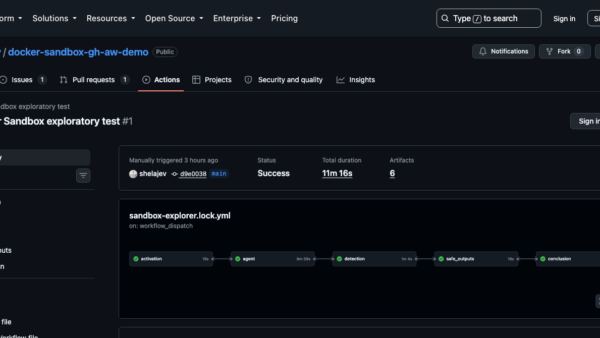
- Check Actions tab → “CI Failure Analysis Agent” workflow runs
- Agent analyzes logs → creates PR with fix (if confident)
- You review and approve → CI runs on fix PR → merges
Note: During the public preview, GitHub’s documentation and community discussions show the agent correctly identifying common failure patterns (missing dependencies, flaky tests) and creating fix PRs with appropriate confidence levels.
Step 5: Extend — Issue Triage Agent
Add a second workflow for automatic issue triage (.github/workflows/issue-triage.yml):
name: Issue Triage Agent

on:
  issues:
    types: [opened, reopened]

permissions:
  contents: read
  issues: write
  pull-requests: read

jobs:
  triage:
    runs-on: ubuntu-latest
    steps:
      - name: Triage new issue
        uses: github/copilot-agentic-workflow@v1
        with:
          github_token: ${{ secrets.GITHUB_TOKEN }}
          prompt: |
            Read the new issue: ${{ github.event.issue.body }}
            Categorize as: bug, feature, question, docs, security, or duplicate.
            Assign appropriate labels.
            If bug: check for similar open issues (search title/body).
            If duplicate: reference the original issue number.
            Output JSON: {category, labels, confidence, duplicate_of: null|number}
What This Automates
- Label assignment — bug/feature/docs/security/question
- Duplicate detection — searches existing issues
- Routing — adds
needs-triagelabel + pings team via@mentionin comment
Step 6: Extend — Documentation Sync Agent
Keep docs in sync with code changes (.github/workflows/docs-sync.yml):
name: Documentation Sync Agent

on:
  push:
    branches: [main]
    paths:
      - 'src/**/*.py'
      - 'src/**/*.ts'
      - 'README.md'

permissions:
  contents: write
  pull-requests: write

jobs:
  sync-docs:
    runs-on: ubuntu-latest
    steps:
      - uses: actions/checkout@v4
      - name: Update docs from code changes
        uses: github/copilot-agentic-workflow@v1
        with:
          github_token: ${{ secrets.GITHUB_TOKEN }}
          prompt: |
            Compare the last commit's code changes (${{ github.sha }}) with current docs in /docs.
            Identify outdated sections: API changes, new parameters, deprecated functions, new features.
            Create a PR updating /docs to match code.
            Only modify docs — do not change source code.
Troubleshooting & Common Issues
| Error / Symptom | Cause | Fix |
|---|---|---|
permission denied on PR creation |
Workflow permissions not set | Settings → Actions → General → Enable “create and approve PRs” |
| Agent times out (10 min) | Large logs / complex analysis | Add timeout-minutes: 15 or filter logs before sending |
| “GITHUB_TOKEN not authorized” | Enterprise policy blocks | Check org policies: Settings → Actions → General → “Allow GitHub Actions to…” |
| Low confidence on all runs | Prompt too vague | Add specific failure patterns to prompt (e.g., “check for ModuleNotFoundError in Python”) |
| Duplicate PRs created | Multiple failure triggers | Add if: ${{ !contains(github.event.workflow_run.head_sha, 'agent/') }} to skip agent-created runs |
| Agent creates PR but CI doesn’t run on it | Human approval required | Review and approve the agent’s PR — CI triggers after approval |
| “Resource not accessible by integration” | Missing actions: read permission |
Add actions: read to workflow permissions |
Decision Framework: When to Use Agentic Workflows vs Traditional CI
| Scenario | Recommended Approach |
|---|---|
| Recurring test flakiness | Agentic — agent can identify pattern and suggest quarantine |
| Dependency update failures | Agentic — agent reads lockfile diffs and suggests version pins |
| Lint/formatting errors | Traditional — use pre-commit or dedicated lint job (faster, cheaper) |
| Complex build failures (linker, native deps) | Traditional — agent lacks environment context |
| New contributor onboarding issues | Agentic — agent explains repo-specific conventions |
FAQ
- 1.Does this work on GitHub Enterprise Server?Agentic Workflows public preview is on
github.comand GitHub Enterprise Cloud with Data Residency. GHES 3.21 (GA June 11, 2026) includes the platform changes but agent GA timeline TBD. - 2.Can I use my own model instead of Copilot?Preview uses Copilot’s model. Custom model support not announced.
- 3.What’s the cost?Public preview — included with Copilot Business/Enterprise. Uses AI Credits (tracked in usage reports since June 11).
- 4.Can the agent push directly to main?No. June 11 security update:
github-actions[bot]PRs require human approval before CI runs. This is mandatory. - 5.How do I debug the agent’s reasoning?Check the workflow run logs — the agent outputs its analysis as structured JSON in the step output.
- 6.When will Agentic Workflows reach general availability?No public GA timeline has been announced. The preview launched June 11, 2026, and GitHub typically iterates based on feedback before GA.
Quick Checklist (Copy-Paste)
[ ] Repository Actions permissions: "Allow create and approve PRs" enabled
[ ] Copilot access confirmed (Business/Enterprise/Individual)
[ ] .github/workflows/ci-failure-analysis.yml created
[ ] Main CI workflow name matches `workflows: ["CI"]` in trigger
[ ] Test: push breaking change → CI fails → agent runs → PR created
[ ] Review agent PR → approve → verify fix works
[ ] Optional: Add issue-triage.yml for auto-labeling
[ ] Optional: Add docs-sync.yml for documentation maintenance
[ ] Monitor AI Credits usage in enterprise reports
Official Sources
- GitHub Changelog June 2026 (primary): “Agentic Workflows — Public Preview,” published June 11, 2026 — https://github.blog/changelog/month/06-2026/
- GitHub Blog: “GitHub Copilot CLI Getting Major Refresh at Microsoft Build 2026” — https://github.blog/changelog/month/06-2026/
Disclosure: No financial position in GitHub or Microsoft at time of writing. zbrandco does not accept payment for coverage.