OpenAI’s GPT-5.6 family — Sol, Terra, and Luna — reached general availability on Amazon Bedrock on July 22, 2026 OpenAI’s GPT-5.6 family announcement on AWS Blog. The three models cover distinct workload tiers: Sol handles long-horizon reasoning, Terra balances performance and cost for everyday production, and Luna targets fast, low-cost inference OpenAI’s GPT-5.6 family announcement on AWS Blog. Each supports text and image input, text output, a 272K-token context window, and the OpenAI Responses API OpenAI’s GPT-5.6 family announcement on AWS Blog.
This guide walks through selecting a model, authenticating with the BedrockOpenAI client, running your first inference, reducing cost with prompt caching, connecting the OpenAI Codex coding agent, and planning for quotas and scaling — all on Amazon Bedrock.
Understanding the GPT-5.6 model tiers
OpenAI introduced a naming system with GPT-5.6 where the number identifies the generation and the names Sol, Terra, and Luna identify durable capability tiers that can advance on their own cadence OpenAI’s GPT-5.6 family announcement on AWS Blog. They also support none, low, medium, high, xhigh, and max reasoning effort levels, so you can switch models without changing your API integration OpenAI’s GPT-5.6 family announcement on AWS Blog.
Sol is the flagship reasoning model. OpenAI positions Sol for complex, multi-step tasks that benefit from additional reasoning tokens before answering OpenAI’s GPT-5.6 family announcement on AWS Blog. Terra balances performance and cost for everyday production work OpenAI’s GPT-5.6 family announcement on AWS Blog. Luna is optimized for fast, low-cost inference, letting you right-size capability and cost for each workload OpenAI’s GPT-5.6 family announcement on AWS Blog.
Pricing matches OpenAI first-party rates, and usage counts toward your existing AWS commitments OpenAI’s GPT-5.6 family announcement on AWS Blog. Your prompts and completions are not used to train any models and are not shared with the model provider OpenAI’s GPT-5.6 family announcement on AWS Blog. For these OpenAI models, classifier-flagged traffic is retained for up to 30 days for automated offline abuse detection, as documented by OpenAI and AWS OpenAI’s GPT-5.6 family announcement on AWS BlogAmazon Bedrock abuse detection — AWS Docs. Retained inputs and outputs are stored and processed by AWS and are not shared with the model provider unless you opt in OpenAI’s GPT-5.6 family announcement on AWS BlogAmazon Bedrock abuse detection — AWS Docs. You control retention configuration through data retention mode OpenAI’s GPT-5.6 family announcement on AWS Blog.
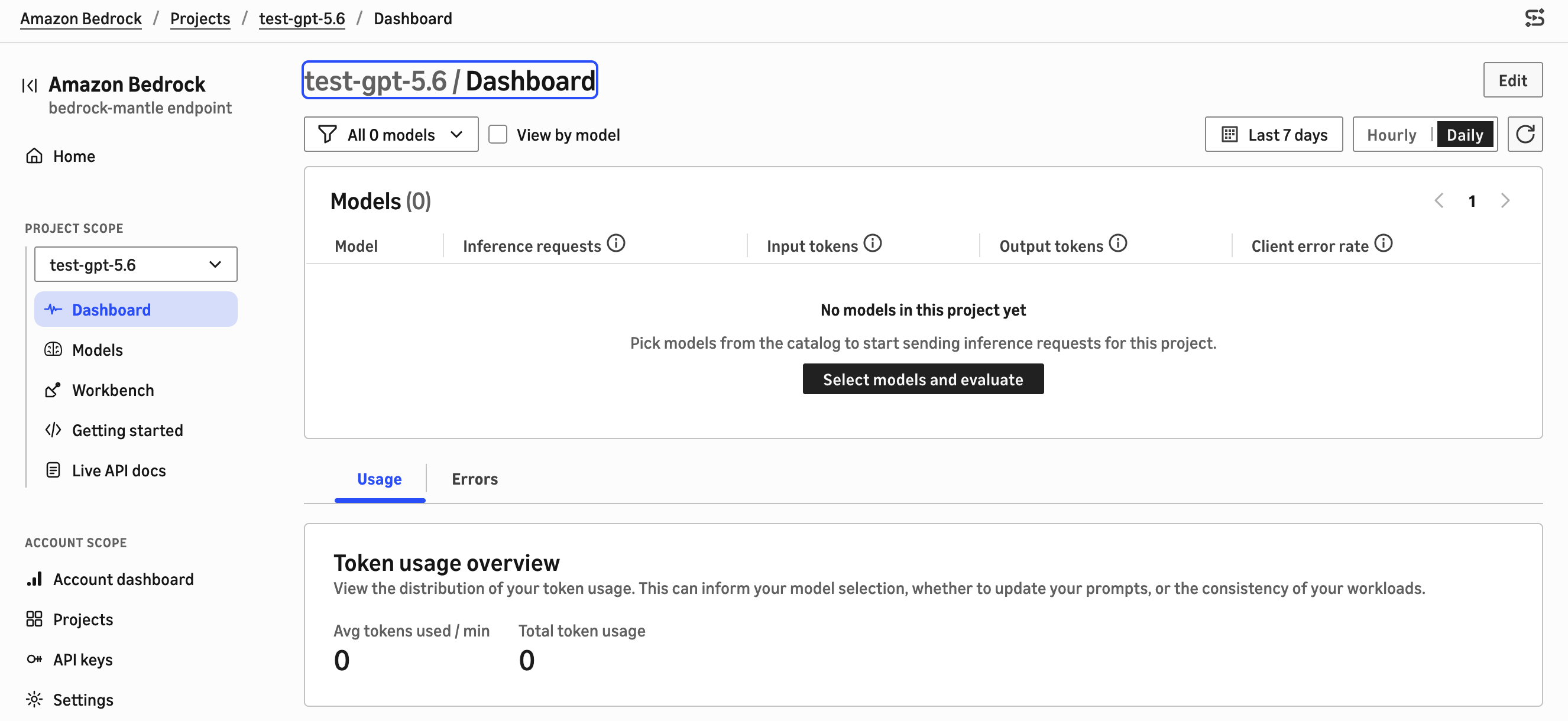
Source: Get started with OpenAI GPT-5.6 Sol, Terra, and Luna on Amazon Bedrock — AWS Blog
Accessing GPT-5.6 through the bedrock-mantle endpoint
You access GPT-5.6 models through the OpenAI Responses API on the bedrock-mantle endpoint. The base URL uses the bedrock-mantle.{region}.api.aws pattern, and the Responses API is served at /openai/v1 OpenAI’s GPT-5.6 family announcement on AWS Blog. Replace {region} with a supported AWS Region, such as us-east-1. This openai/v1 path is specific to the OpenAI models OpenAI’s GPT-5.6 family announcement on AWS Blog.
The endpoint works with the OpenAI Python and TypeScript SDKs. To run an existing OpenAI SDK application on Amazon Bedrock, replace the OpenAI base URL with the bedrock-mantle endpoint, use the corresponding Amazon Bedrock model ID, and authenticate with an Amazon Bedrock API key or AWS credentials OpenAI’s GPT-5.6 family announcement on AWS Blog.
Every model call runs under your AWS Identity and Access Management (IAM) policies, inside your virtual private cloud (VPC), and is logged in AWS CloudTrail OpenAI’s GPT-5.6 family announcement on AWS Blog. In-Region inference keeps requests within the AWS Region you specify, which helps teams meet data-residency requirements OpenAI’s GPT-5.6 family announcement on AWS Blog.
Step 1: Install prerequisites
To use GPT-5.6 models, you need an AWS account with permissions to run inference on the bedrock-mantle endpoint OpenAI’s GPT-5.6 family announcement on AWS Blog. One way to grant these is to attach the AWS managed policy AmazonBedrockMantleInferenceAccess to your IAM principal. It grants the read and inference-creation access the examples need, including bedrock-mantle:CreateInference and bedrock-mantle:CallWithBearerToken OpenAI’s GPT-5.6 family announcement on AWS Blog.
Install the OpenAI Python SDK, version 2.45.0 or later:
pip install "openai>=2.45.0"
The AWS Bedrock documentation on API keys confirms that API keys are passed as authorization headers and are not logged, and that all API calls are logged in AWS CloudTrail AWS Bedrock API keys documentation.
Step 2: Authenticate with the BedrockOpenAI client
There are two options for authenticating the OpenAI SDK. The recommended production approach uses the auto-refreshing short-term key. The OpenAI SDK’s native BedrockOpenAI client takes a token provider that generates a short-term key from your AWS credentials and refreshes it before each request OpenAI’s GPT-5.6 family announcement on AWS Blog.
from aws_bedrock_token_generator import provide_token
from openai import BedrockOpenAI

region = "us-east-1"
client = BedrockOpenAI(
    aws_region=region,
    bedrock_token_provider=lambda: provide_token(region=region),
)
The alternative uses a short-term key from an environment variable. Set the key on AWS_BEARER_TOKEN_BEDROCK and pass it to the client. Because this key isn’t refreshed, it expires after at most 12 hours OpenAI’s GPT-5.6 family announcement on AWS Blog. For production, use the auto-refreshing option or store the key in AWS Secrets Manager OpenAI’s GPT-5.6 family announcement on AWS Blog.
import os
from openai import OpenAI

client = OpenAI(
    base_url="https://bedrock-mantle.us-east-1.api.aws/openai/v1",
    api_key=os.environ["AWS_BEARER_TOKEN_BEDROCK"],
)
AWS documents two types of API keys for Bedrock: short-term keys that last up to 12 hours and inherit permissions from the IAM principal, and long-term keys that last until a configured expiration date AWS Bedrock API keys documentation. For production use, short-term keys are recommended AWS Bedrock API keys documentation.
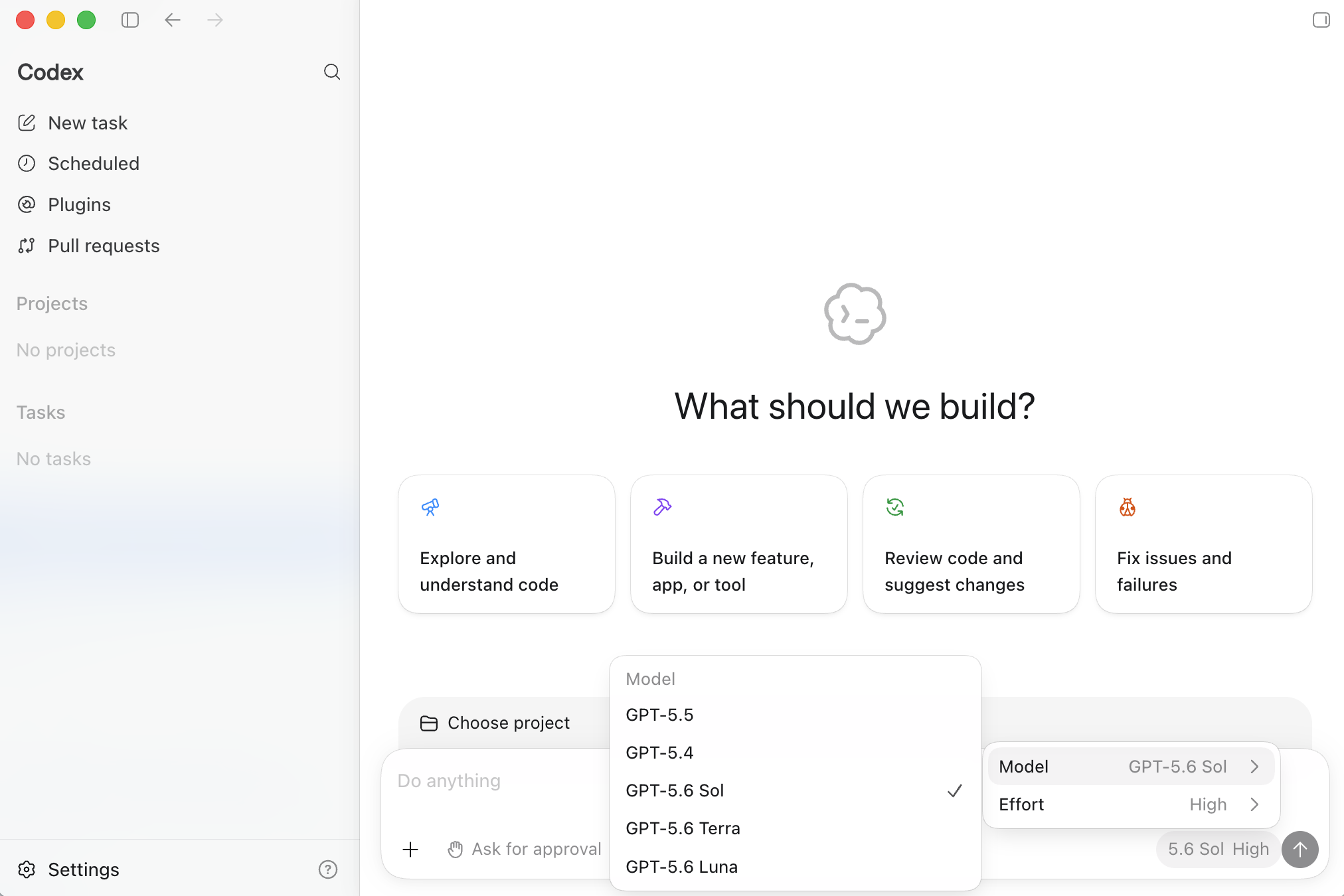
Source: Get started with OpenAI GPT-5.6 Sol, Terra, and Luna on Amazon Bedrock — AWS Blog
Step 3: Run your first inference
Using the BedrockOpenAI client, call GPT-5.6 Terra through the Responses API. The Responses API uses a single input field and returns the generated text in output_text OpenAI’s GPT-5.6 family announcement on AWS Blog.
response = client.responses.create(
    model="openai.gpt-5.6-terra",
    input="Explain the benefits of prompt caching for agentic workloads.",
    max_output_tokens=512,
    store=False,
)
print(response.output_text)
To move an existing OpenAI SDK application to GPT-5.6 on Amazon Bedrock, update the base URL and the model ID OpenAI’s GPT-5.6 family announcement on AWS Blog. The model ID for Terra on Bedrock is openai.gpt-5.6-terra, and the model ID for Sol is openai.gpt-5.6-sol OpenAI’s GPT-5.6 family announcement on AWS Blog. The store parameter controls whether the request and response are retained for later review; setting it to False prevents storage OpenAI’s GPT-5.6 family announcement on AWS Blog.
Step 4: Control reasoning effort
GPT-5.6 models can spend additional reasoning tokens on complex, multi-step tasks before answering, which improves results but increases latency and cost OpenAI’s GPT-5.6 family announcement on AWS Blog. Set the level with the reasoning parameter. Sol, Terra, and Luna support none, low, medium, high, xhigh, and max. Match the level to the task OpenAI’s GPT-5.6 family announcement on AWS Blog.
response = client.responses.create(
    model="openai.gpt-5.6-sol",
    input="A train leaves at 3 PM at 60 km/h. Another leaves an hour later at 90 km/h. How far apart are they after 2 hours?",
    reasoning={"level": "high"},
    max_output_tokens=512,
)
print(response.output_text)
The reasoning effort setting applies uniformly across all three GPT-5.6 models on Bedrock. Higher effort levels increase latency and cost because they consume more reasoning tokens before producing a response OpenAI’s GPT-5.6 family announcement on AWS Blog. Choose the lowest level that produces acceptable results for your use case.
Step 5: Reduce cost with prompt caching
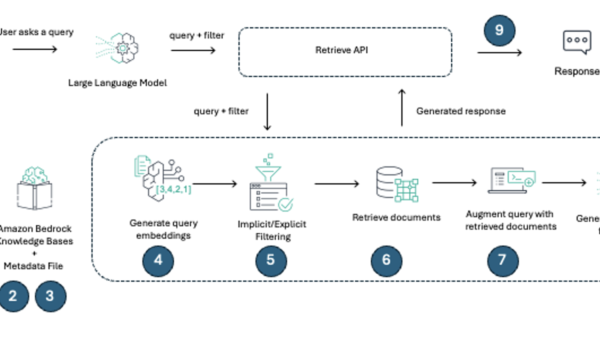
Prompt caching lets you reuse prefixes across requests, reducing the number of tokens billed for repeated context. The AWS blog post demonstrates how to reduce cost with prompt caching and measure cached-token usage OpenAI’s GPT-5.6 family announcement on AWS Blog. The bedrock-mantle endpoint supports caching semantics that are consistent with the OpenAI Responses API OpenAI’s GPT-5.6 family announcement on AWS Blog. When the same prompt prefix is sent in subsequent requests, Bedrock serves the cached portion instead of reprocessing it, which lowers both latency and cost for agentic workloads that share common system prompts or context windows.
Step 6: Connect the OpenAI Codex coding agent
The AWS blog post shows how to connect the OpenAI Codex coding agent to GPT-5.6 on Amazon Bedrock OpenAI’s GPT-5.6 family announcement on AWS Blog. Codex agents can use the bedrock-mantle endpoint for autonomous coding tasks, long-horizon reasoning, and high-volume inference workloads OpenAI’s GPT-5.6 family announcement on AWS Blog. To configure Codex to use Bedrock, update the OpenAI base URL in the Codex configuration to point to the bedrock-mantle endpoint and supply the appropriate model ID.
Planning for quotas and scaling
AWS documentation on abuse detection notes that Amazon Bedrock uses a zero operator access (ZOA) data security model, meaning no operators of the service can access model input or output Amazon Bedrock abuse detection — AWS Docs. The zero data retention (ZDR) model means that by default, Amazon Bedrock does not store model inputs or outputs Amazon Bedrock abuse detection — AWS Docs. For the specific OpenAI GPT-5.6 models, classifier-flagged traffic retention is limited to 30 days for automated offline abuse detection Amazon Bedrock abuse detection — AWS Docs.
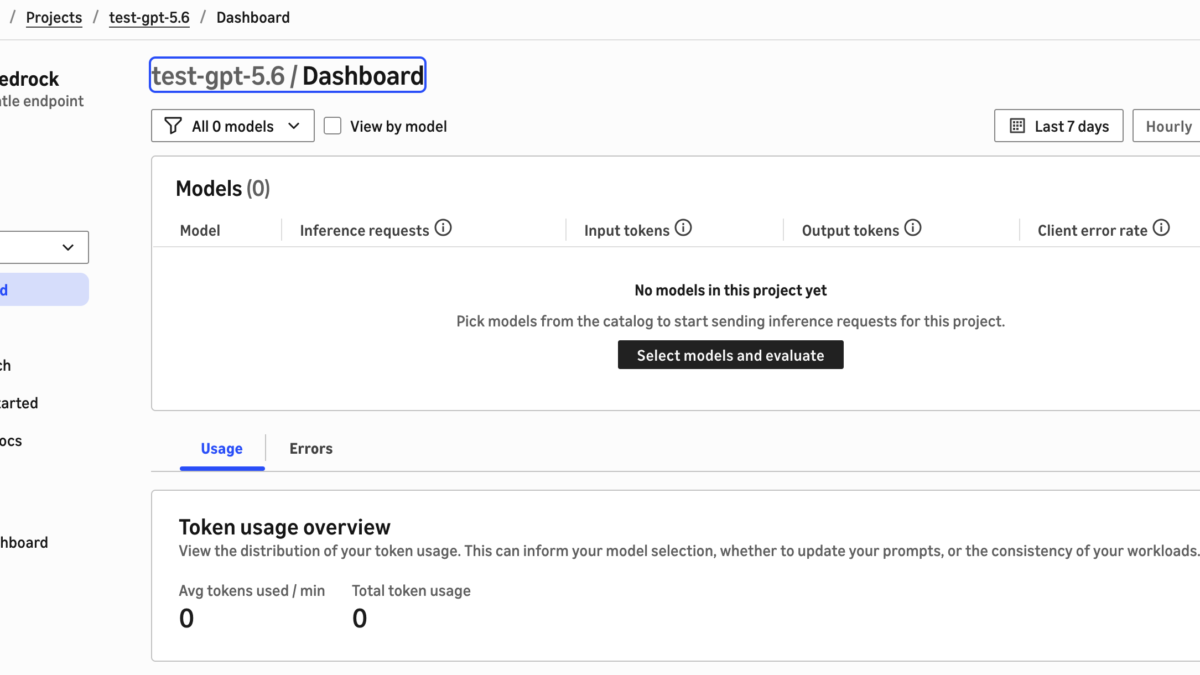
Monitor usage through AWS CloudTrail logs and the Amazon Bedrock console OpenAI’s GPT-5.6 family announcement on AWS BlogAWS Bedrock API keys documentation. AWS documentation on abuse detection further confirms that eligible customers may request full ZDR through their AWS account team for the specific OpenAI GPT-5.6 models Amazon Bedrock abuse detection — AWS Docs.
Choosing the right model for your workload
Selecting the right GPT-5.6 tier depends on your workload profile. For tasks that require deep reasoning — such as multi-step code generation, complex data analysis, or long-horizon planning — Sol provides the additional reasoning tokens that improve output quality OpenAI’s GPT-5.6 family announcement on AWS Blog. For everyday production tasks like content generation, summarization, and classification, Terra delivers balanced performance and cost efficiency OpenAI’s GPT-5.6 family announcement on AWS Blog. For high-volume, latency-sensitive workloads such as real-time chat or recommendation inference, Luna minimizes response time and per-request cost OpenAI’s GPT-5.6 family announcement on AWS Blog.
The AWS blog post provides a reference table summarizing the key specifications for each model on Amazon Bedrock, including context window, input/output support, and reasoning effort options OpenAI’s GPT-5.6 family announcement on AWS Blog. All three models support the same 272K-token context window and the full range of reasoning effort levels OpenAI’s GPT-5.6 family announcement on AWS Blog.
Contextual links to zBrandco coverage
For background on the GPT-5.6 model family announcement, see OpenAI Previews GPT-5.6 Sol With New Terra and Luna Models, which covers the initial preview and model tier rationale. For the earlier limited preview phase, see OpenAI launches limited preview of GPT-5.6 Sol model, which documents the first public availability of the Sol reasoning tier.
Image credits
- “Get started with OpenAI GPT-5.6 Sol, Terra, and Luna on Amazon Bedrock” model selection diagram — AWS Blog
- AWS Bedrock API keys documentation — AWS Docs
- Amazon Bedrock abuse detection — AWS Docs
Editorial note: Citation cleanup: we trimmed duplicate citation links that repeated the same source after multiple paragraphs. Every fact and quote is unchanged; the source remains cited where each claim appears.