

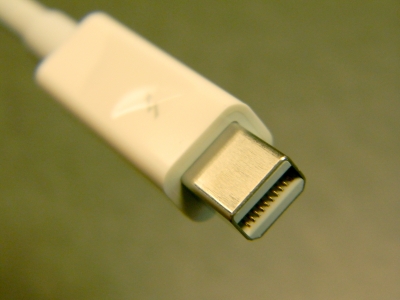
The port on the side of your laptop has been quietly getting faster for over a decade, and the latest version, Thunderbolt 5, is the biggest jump in years. If you have bought or looked at a high-end laptop released in 2024 or later, you have probably seen it listed as a spec — three ports on the new MacBook Pro, or a single one on a premium Windows machine. The marketing number is impressive, but the more useful question is simpler: does the faster port change anything for you, or is it just another line on a spec sheet?
Thunderbolt 5 is Intel’s cable standard, previewed on 12 September 2023 under the codename “Barlow Ridge” and built directly on the USB Implementers Forum’s USB4 2.0 specification (Thunderbolt (interface), Wikipedia). Like its predecessors, it is a single cable that carries three things at once: video to a display, data to drives and peripherals, and power to charge the machine. What changed is how much of each it can move.
The numbers that matter
The headline figure is bandwidth, and Thunderbolt 5 raises it sharply:
- 80 Gbit/s symmetric. That is double the 40 Gbit/s of Thunderbolt 4, and it applies in both directions at once — useful when you are both reading from and writing to a fast external drive.
- 120 Gbit/s to a display. When the traffic is mostly one-way — sending video out to a monitor — the port can push 120 Gbit/s, three times what Thunderbolt 3 and 4 managed. That is enough for dual 8K displays at 60 Hz.
- 64 Gbit/s of PCIe. The portion reserved for expansion cards doubles to 64 Gbit/s, which is what makes external SSDs and external graphics cards noticeably quicker over the cable.
- 240 W charging. The port can deliver up to 240 W downstream, enough to power and charge a serious laptop through the same cable that drives your monitor and dock.
- DisplayPort 2.1. The video standard underneath supports the latest high-resolution, high-refresh monitors.
Under the hood, Thunderbolt 5 uses PAM-3 signaling and works with the passive cables you already own up to about a meter, so you are not forced into expensive active cables for short runs (Thunderbolt (interface), Wikipedia).
Who actually notices
This is where the spec sheet meets real life. Thunderbolt 5 is aimed at people who push a lot of data and pixels through one cable:
- Video editors and 3D artists. Driving an 8K reference monitor, or two 4K panels at high refresh, while pulling footage from a fast external SSD used to need multiple cables and often a bottleneck. Thunderbolt 5 does it on one.
- External-GPU users. A desktop-class graphics card in a breakout box finally gets enough PCIe bandwidth over the cable to stop leaving performance on the table.
- Fast-storage users. Copying terabytes between NVMe enclosures is bounded by the cable; doubling the data path roughly halves the wait.
- One-cable desk setups. A single Thunderbolt 5 cable to a dock can run your monitor, your drives, your network, and 240 W of charging — and the dock can still feed a second high-res display without choking.
Apple’s 14-inch and 16-inch MacBook Pro with the M4 Pro and M4 Max, and the Mac Mini with the M4 Pro, all shipped with three Thunderbolt 5 ports in October 2024, which is the moment the standard went from preview to something you can actually buy (Thunderbolt (interface), Wikipedia). Windows laptops and docks followed through 2024 and 2025.
Who doesn’t need to care
If your computing is web browsing, office documents, video calls, and the occasional download, Thunderbolt 5 will not change your day. Thunderbolt 4 and even plain USB-C already handle a 4K monitor, a keyboard, and charging without breaking a sweat. Paying extra for Thunderbolt 5 because of the number is like buying a race tire for a school run.
The catch is that you rarely choose the port in isolation — it comes bundled with the laptop you want. So the practical advice is not “go buy Thunderbolt 5”; it is “if you are already buying a creator-class laptop, know that the port will finally keep up with your gear.” If you are shopping on a budget, spend the savings on more RAM or a faster SSD instead; neither Thunderbolt 4 nor 5 helps a machine that is memory-starved or stuck on a slow boot disk. The port is the last thing to bottleneck on a well-specified laptop, not the first.
Compatibility and the cable fine print
Thunderbolt 5 is backward compatible with Thunderbolt 4 and 3, with USB4, with USB-C, and with DisplayPort. Your older devices will still work; they will simply run at their own speed. The fine print is the cable: to get the full 80 or 120 Gbit/s, the cable has to be rated for it. A cheap USB-C cable will connect and charge, but it will not deliver the bandwidth, just as a Cat-5 cable won’t give you gigabit speed on a gigabit line.
Thunderbolt 5, USB4, and USB-C: what’s the difference
The alphabet soup confuses people, so the short version helps. USB-C is the physical connector shape. USB4 is a data standard that runs over USB-C and, since version 2.0, shares Thunderbolt 5’s 80 Gbit/s DNA. Thunderbolt 5 is Intel’s implementation that adds the certification, the display and power guarantees, and the PCIe budget on top of USB4 2.0. In practice, a Thunderbolt 5 port is a superset: it does everything USB4 and USB-C do, plus the high-bandwidth promises, and it is certified to actually deliver them. A plain USB-C port may or may not reach those speeds, depending on which standard it implements.
Thunderbolt 5 vs Thunderbolt 4, at a glance
- Bandwidth: 40 Gbit/s both ways becomes 80 Gbit/s symmetric, up to 120 Gbit/s to a display.
- PCIe for expansion: 32 Gbit/s becomes 64 Gbit/s.
- Charging: up to 100 W becomes up to 240 W.
- Display: one 4K panel at high refresh comfortably becomes dual 8K at 60 Hz.
- Cables: mostly the same passive cables up to a meter; full speed needs a rated cable.
None of that changes the fact that Thunderbolt 4 is still perfectly good for most desks. The upgrade matters when the older port is the bottleneck — which, for the first time in a while, it genuinely can be for demanding workflows.
The bottom line
Thunderbolt 5 is the first port bump in a while that is aimed at doing more through one cable rather than just raising a number. For creators, gamers using external GPUs, and anyone running a multi-display desk off a single connection, it removes real bottlenecks. For everyone else, it is a nice future-proofing detail on a laptop you were going to buy anyway — welcome when it’s there, not worth chasing on its own.
There is also a second-hand effect worth noting: as Thunderbolt 5 docks and drives become common, the whole ecosystem of one-cable accessories improves for everyone, including Thunderbolt 4 users who get cheaper, faster peripherals even if their own laptop caps out lower. The port you buy today quietly makes tomorrow’s accessories better for the desk next to it.



