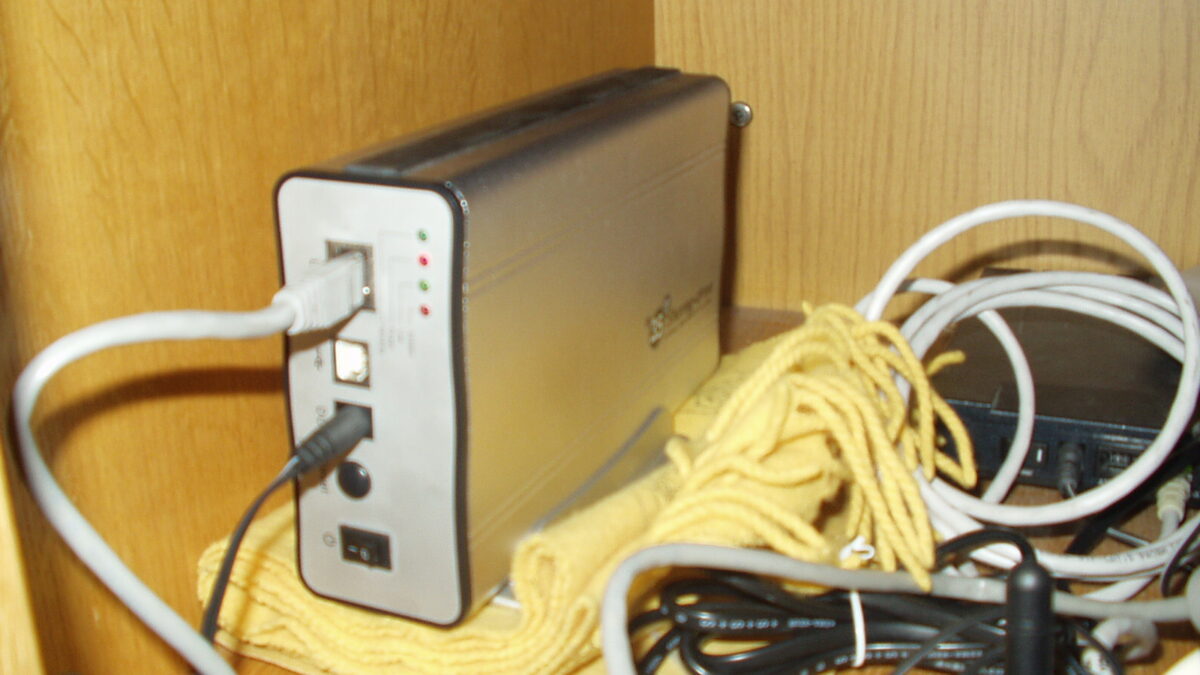
There is a drawer in most homes that holds three or four external hard drives, each holding a different slice of someone’s digital life, none of them backed up, one of them making a faint clicking sound that nobody wants to investigate. It feels like storage. It is actually a liability. The moment you own more than one computer, a phone, and a tablet, a pile of USB disks stops being a solution and becomes a puzzle you solve every time you need a file. A home NAS — network-attached storage — is the unglamorous upgrade that turns that puzzle into a single, always-on library. This is the concrete use case for one, and why it beats the drawer.
What a NAS actually is
A NAS is a file-level storage server that lives on your network instead of plugging into one machine (Network-attached storage, Wikipedia). It contrasts with direct-attached storage (a drive bolted to one computer) and with a storage-area network (block-level, enterprise gear). In practice it is a small, low-power box with one or more drive bays that speaks standard file-sharing protocols — SMB for Windows, NFS for UNIX and Linux, and historically AFP for Macs — so every device in the house can read and write the same files without the disk physically moving (NAS protocols). Most units arrange their disks into RAID sets so a single drive failure does not take your data with it.
The use case: one library, every device
The drawer-of-drives failure mode is that storage is trapped. A photo dump lives on the drive you left at the office; the movie archive is on the disk plugged into the dead laptop; the “important” backup is on a drive nobody can find. A NAS dissolves that. Because it is on the network, your phone backs up to it over Wi-Fi at night, your desktop sees the same folders, the smart TV pulls media straight from it, and a second computer restored from scratch points at the same share and gets everything back. The files are no longer “on a drive” — they are “in the house,” available from anywhere inside it.
That single shift enables three jobs a stack of externals cannot do well:
- Centralized backup for every device. Instead of remembering which disk holds which machine’s image, every computer schedules a nightly backup to the same target. One place to check, one place to restore from.
- A media server. Point a streaming app such as Plex or Jellyfin at the NAS and every TV and phone in the house gets a personal Netflix of your own files, no drive-swapping required (NAS as a media server).
- Shared working space. A household or small studio keeps one set of shared documents, photos, and project files that everyone opens in place, ending the “which version is current” email thread.
Why RAID matters more than capacity
The spec people fixate on is terabytes. The feature that actually earns a NAS its keep is redundancy. A two-bay unit in a mirrored (RAID 1) configuration holds your data on both disks at once; if one drive dies, you pull it, drop in a replacement, and the array rebuilds itself with zero data loss (RAID in NAS). A single external drive has no such mercy — when it fails, that is the failure, full stop. You are not buying raw space so much as buying the ability to lose a component without losing a decade of photos.
The setup that makes sense for most homes
You do not need a rack-mounted monster. A two-bay consumer unit from a vendor such as Synology, QNAP, or Terramaster, populated with two equal NAS-grade hard drives in a mirror, covers a typical household: backups, media, and shared files with room to grow. NAS-specific drives tolerate the constant vibration and 24/7 operation of an always-on array better than desktop drives, which is why they exist (purpose-built NAS drives). Set the unit to power on at a scheduled time if you want to save electricity, enable automatic phone and computer backups, and point a media app at a dedicated folder. An afternoon of setup buys years of not thinking about where anything is.
The honest caveats
A NAS is not magic and it is not, by itself, a backup. The rule that matters is still 3-2-1: three copies, two media, one offsite. A mirrored NAS gives you redundancy against a disk failure, but a house fire, a ransomware hit, or a flood takes the whole box — so a copy in the cloud or at a friend’s house is still required (NAS as part of a backup strategy). There is also a real cost of entry (the unit plus two drives) and a small learning curve in the web interface. And the box draws power around the clock, though modern units sip only a few watts when idle.
The takeaway
If your “storage strategy” is a collection of external drives in a drawer, the problem is not capacity — it is architecture. A home NAS replaces scattered, single-points-of-failure disks with one redundant, always-available library that every device in the house can use at once. You still need an offsite copy for true safety, but for the daily reality of keeping a household’s files in one place, nothing else in that price range comes close.
Image: A network-attached storage device. Source: Wikimedia Commons (CC).
Editorial note: Citation cleanup: we trimmed duplicate citation links that repeated the same source after multiple paragraphs. Every fact and quote is unchanged; the source remains cited where each claim appears.