The thin laptop on your desk is probably faster than the desktop it replaced, yet it sits there with one or two ports, unable to reach the monitor, the keyboard, the wired network, and the hard drive you actually want to use. That gap between a powerful computer and the things you plug into it is exactly what a USB-C hub closes. For twenty to sixty dollars it turns a single port into a full workstation, at home or on the road. This is the concrete use case for one, and why it is the highest-value accessory most laptop owners skip.
What a USB-C hub does
A USB-C hub is a small adapter that plugs into a laptop’s USB-C port — usually one that carries the USB Power Delivery and DisplayPort Alt Mode standards — and breaks it out into several ports: more USB-A sockets, an HDMI or DisplayPort for a monitor, an SD or microSD reader, sometimes an Ethernet jack, and a pass-through port that lets you charge the laptop through the hub (USB hardware, Wikipedia). The hub is effectively a tiny switch that multiplexes one high-bandwidth connection into many useful ones. A “docking station” is the same idea in a larger, often powered, permanent form; a hub is the portable version (USB-C and docking).
The use case: one cable, whole desk
The drawer-of-adapters problem is real: a monitor cable, a phone cable, a memory-card reader, a mouse dongle, an Ethernet cable, all fighting for two ports. With a hub, you leave everything plugged into the hub and connect the laptop with a single cable. Sit down, plug in once, and the laptop is driving a 4K monitor, charging, on wired internet, with a mouse and keyboard attached. Stand up, unplug one cable, and you are mobile. The hub absorbs the mess so the laptop stays clean.
That single-cable behavior pays off in three situations:
- The fixed desk. A hub (or dock) at home or the office means your laptop behaves like a desktop the moment it lands, no cable juggling.
- Travel. A pocket hub turns any hotel TV’s HDMI port into a presentation screen and any wall outlet into a charging spot, without carrying five dongles.
- The one-port laptop. Many modern ultrabooks ship with only USB-C. A hub is not optional there — it is the only way to use a wired mouse, a memory card, or a projector at all (USB-C connector adoption).
What to look for so you do not buy the wrong one
Not all hubs are equal, and the cheap ones disappoint. The details that matter:
- Display support. If you want a 4K monitor at 60 Hz, confirm the hub’s HDMI or DisplayPort explicitly supports it; some only drive 4K at 30 Hz, which looks sluggish.
- Passthrough charging. A hub with a Power Delivery input lets you charge the laptop through the hub instead of sacrificing a port. Check the wattage — a 60 W or 100 W pass-through is enough for most laptops; a 15 W one is not.
- Enough downstream USB-A. Count your peripherals. Two is the bare minimum; three or four saves a second hub later.
- The ports you will actually use. Photographers want SD and microSD; wired-network people want Ethernet; presenters want HDMI. Buy for your real devices, not the longest spec sheet.
- Build and heat. Cheap hubs run warm under load; a metal-bodied hub dissipates better and lasts longer (USB power and data rates).
The honest caveats
A hub is a convenience, not a performance upgrade, and a few limits are worth knowing. Drives and peripherals share the bandwidth of that one USB-C connection, so a hub loaded with several fast devices can bottleneck compared with native ports. Very high-refresh monitors or multiple 4K displays may exceed what a single Alt Mode connection can carry, in which case a Thunderbolt dock (not a plain USB-C hub) is the right tool. And a hub draws its own small amount of power and adds a point of failure — if the hub dies, so does your whole desk setup until you swap it. None of that outweighs the flexibility, but buy one rated for your actual load.
The takeaway
A laptop is not “less capable” than a desktop because of its ports — it is only less connected. A USB-C hub is the cheapest, lightest way to erase that difference: one cable to a full desk at home, one adapter in the bag for the road, and the ability to use real peripherals on a one-port machine. For the price of a nice dinner, you make the computer you already own work like the desktop you thought you gave up.
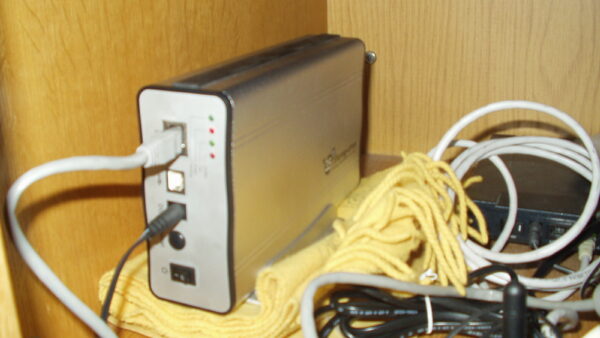
Image: A USB-C hub. Source: Wikimedia Commons (CC).
Editorial note: Citation cleanup: we trimmed duplicate citation links that repeated the same source after multiple paragraphs. Every fact and quote is unchanged; the source remains cited where each claim appears.