When a company rolls out Claude Code and Claude Desktop to an entire engineering organization, installing the binaries is the easy part. The hard part is governing them: who can sign in, which models each team may call, how much any single developer can spend, and where the usage telemetry lands so finance and security can see it. Anthropic’s Claude apps gateway is a self-hosted layer you run between those desktop and CLI clients and either Amazon Bedrock or the Claude Platform on AWS, and AWS published a production reference deployment that lays out the full topology, the policy model, and the cost controls (AWS Machine Learning Blog). This guide walks through standing that gateway up on AWS and switching on each governance control, using only what the reference deployment documents.
Claude Code is the terminal and IDE agent that developers run on macOS, Linux, and Windows, and it is the client the gateway sits in front of (Claude Code by Anthropic). Claude, the underlying model family, is positioned by Anthropic as a general problem-solving assistant for ambitious technical work (Claude by Anthropic). The gateway does not change how those clients behave; it changes how they authenticate and what they are permitted to do once they reach AWS.
Source: AWS Machine Learning Blog — Deploying Anthropic Claude apps gateway for AWS for enterprise workloads
Before you start
Establish the prerequisites, because the gateway is infrastructure that fronts other infrastructure. You need an AWS account with permission to create Fargate tasks, an Amazon RDS for PostgreSQL instance, an Application Load Balancer, an Amazon Route 53 private hosted zone, VPC endpoints, and AWS Secrets Manager secrets, and you need an OpenID Connect identity provider such as Okta, Microsoft Entra ID, Auth0, Keycloak, or Amazon Cognito, all of which the gateway explicitly supports (AWS Machine Learning Blog). The gateway ships inside the same Claude Code CLI binary your developers already run, so you start it with claude gateway --config gateway.yaml in server mode, pointing at a YAML file it loads at startup (AWS Machine Learning Blog). Confirm you can reach a private network segment such as a VPN or AWS Direct Connect from developer machines, because both the client and the browser used for sign-in must be able to reach the gateway’s private endpoint.
Step 1: Stand up the container and its state store
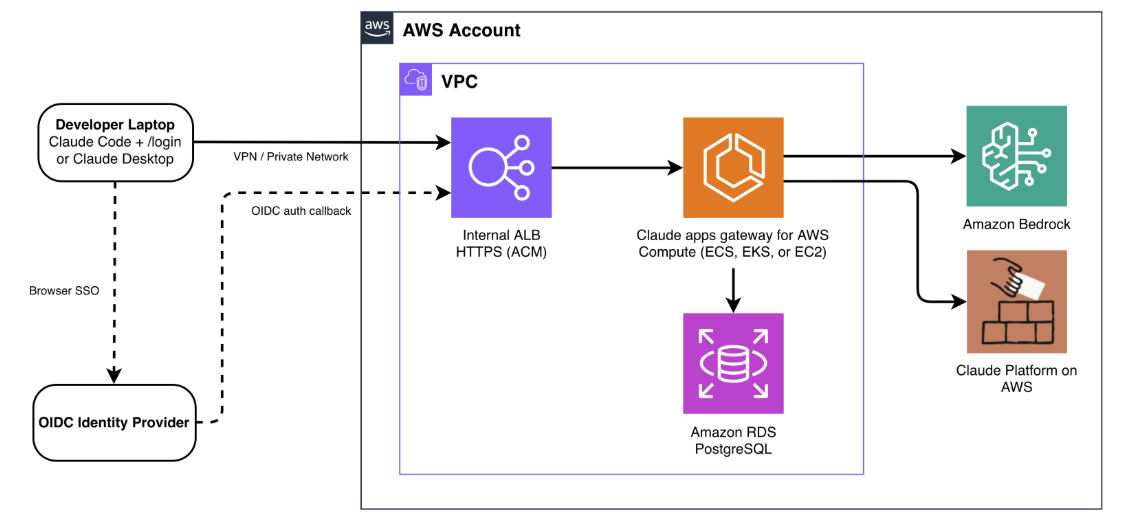
Deploy the gateway as a stateless container on AWS Fargate inside your VPC; the same image also runs on Amazon EKS or Amazon EC2 if your footprint already lives there (AWS Machine Learning Blog).
Source: AWS Machine Learning Blog — Deploying Anthropic Claude apps gateway for AWS for enterprise workloads
Back the task with Amazon RDS for PostgreSQL for short-lived sign-in state such as device codes and sessions, and, when you enable spend limits, for per-user spend counters and audit records, which keeps auth state in the database rather than the task so any Fargate task can serve any request and the load balancer needs no sticky sessions (AWS Machine Learning Blog). Put an internal Application Load Balancer in front and terminate TLS with an AWS Certificate Manager certificate, then resolve the gateway through an Amazon Route 53 private hosted zone to private IP addresses reachable over VPN, AWS Direct Connect, or equivalent private connectivity (AWS Machine Learning Blog). Route supported AWS service traffic through VPC endpoints to keep it private, and use a NAT gateway only for the remaining egress (AWS Machine Learning Blog).
One operational trap is the load balancer idle timeout, which defaults to 60 seconds and drops connections that stay idle longer than that, so set it above your longest expected gap between data, covering both delayed non-streaming responses and pauses between streaming chunks (AWS Machine Learning Blog). The gateway authenticates to Amazon Bedrock with the IAM role attached to its own task, and it keeps the Claude Platform on AWS API key and any other static credentials in AWS Secrets Manager, so no upstream credentials are ever distributed to developer machines (AWS Machine Learning Blog).
Step 2: Wire OIDC single sign-on
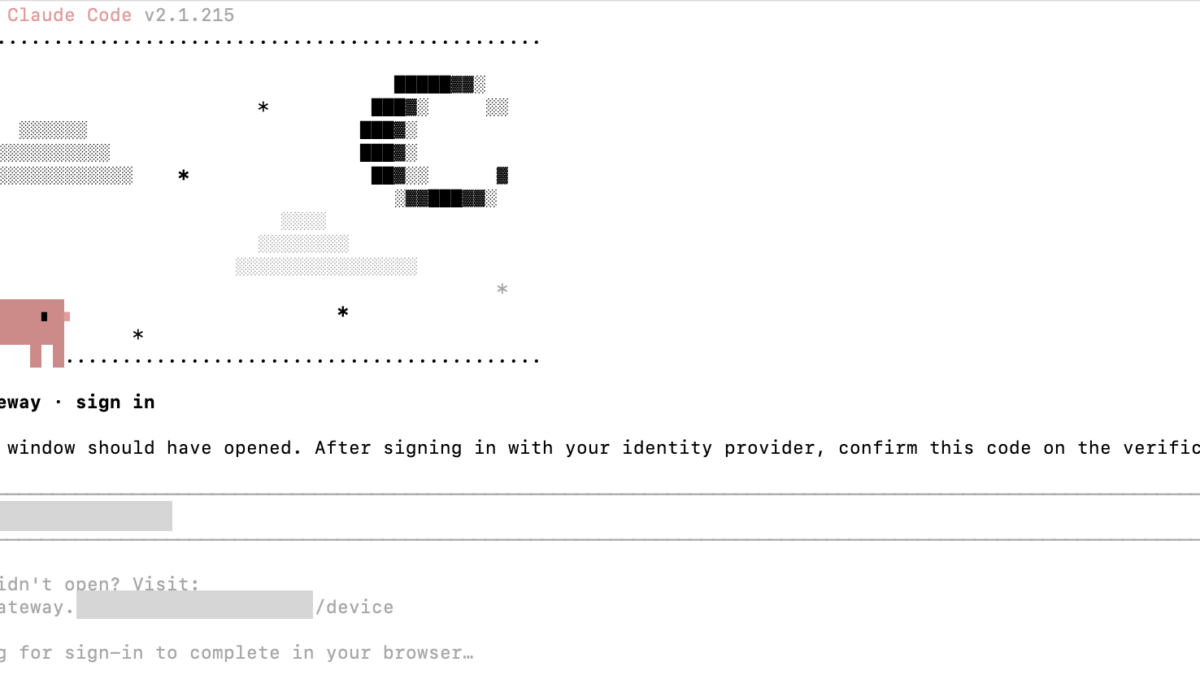
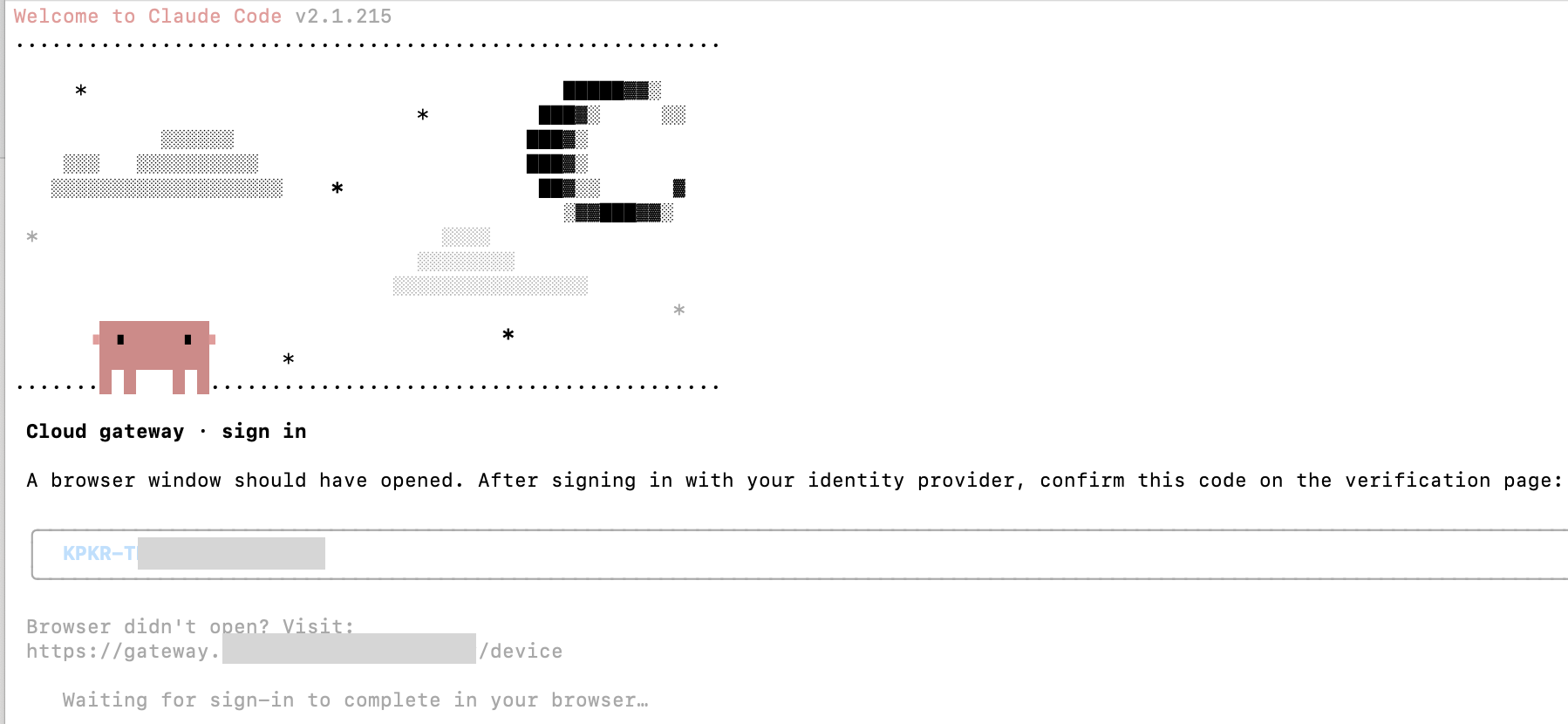
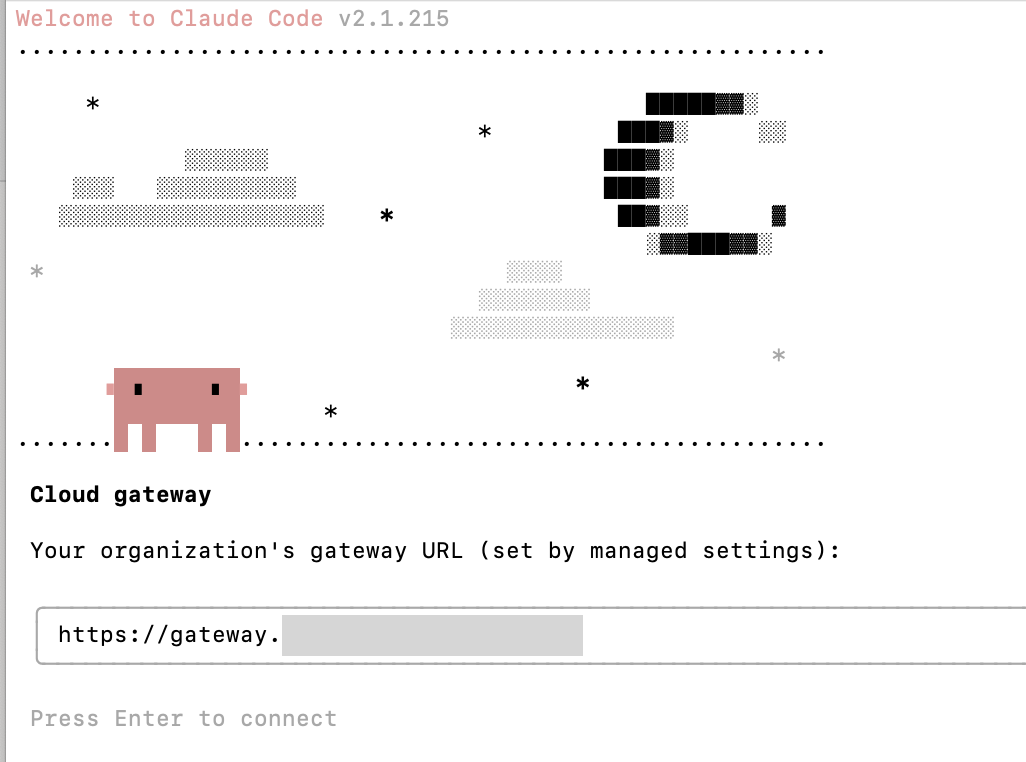
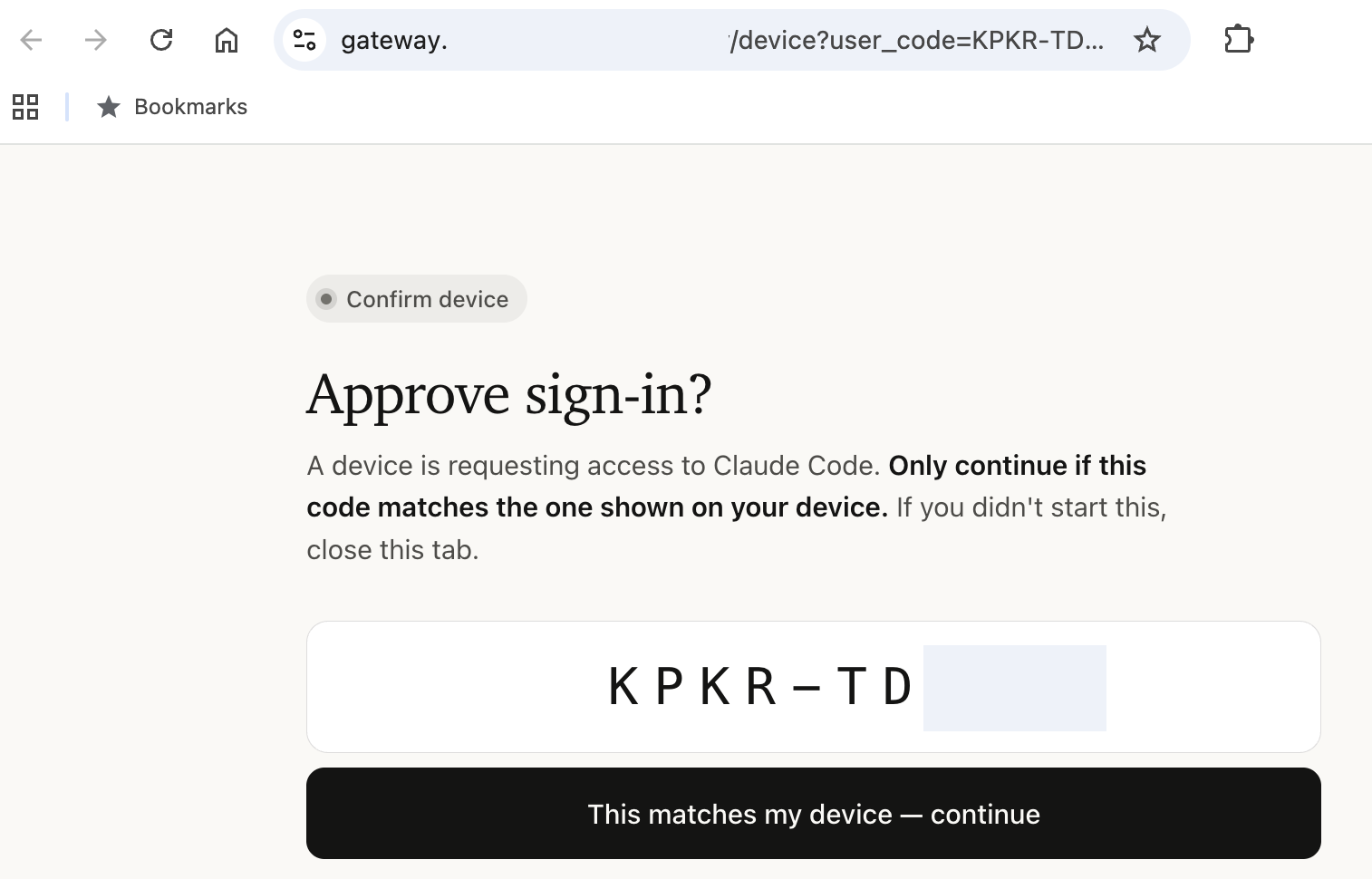
Point your managed settings at the gateway’s private URL so Claude Code and Claude Desktop know where to authenticate, then let developers run /login to begin an OAuth 2.0 device authorization grant that opens a browser against your OIDC provider (AWS Machine Learning Blog).
Source: AWS Machine Learning Blog — Deploying Anthropic Claude apps gateway for AWS for enterprise workloads
The browser must also reach the gateway’s private endpoint, because the gateway serves the device verification page; after authentication it issues a short-lived bearer token valid for one hour by default, and the session then refreshes silently in the background (AWS Machine Learning Blog). The gateway keeps no user directory of its own, with no accounts to pre-create and no SCIM sync, and it maps whatever groups your identity provider assigns one-to-one into policy with no translation layer, so offboarding is simply removing the user from the IdP and letting the session expire within its configured time to live, one hour by default, with no credential rotation (AWS Machine Learning Blog). If you use Microsoft Entra ID, note that it does not emit group or role claims by default, so when a policy matches on groups: [...] you must add groups_claim: roles to the OIDC config, or every user falls through to the catch-all policy (AWS Machine Learning Blog). The companion write-up on Anthropic shipping Claude Opus 5 at Opus 4.8 pricing explains the model tiers this gateway can gate, which matters once you set per-team model access (Anthropic Ships Claude Opus 5 at Opus 4.8 Pricing).
Step 3: Enforce model access with policy
Write the policy as a single YAML block that the gateway evaluates in declaration order, selecting the first match and merging it onto a match: {} catch-all base, so you must end the list with that catch-all or unmatched users receive full catalog access (AWS Machine Learning Blog). Scope model and tool permissions by identity-provider group, and include desktop: {} in every entry, because without it the gateway rejects Claude Desktop inference even when sign-in succeeds (AWS Machine Learning Blog).
policies:
  # Contractors: Haiku and Sonnet only, no web access
  - match: { groups: [contractors] }
    cli:
      availableModels: [claude-sonnet-5, claude-haiku-4-5]
    enforceAvailableModels: true
    permissions:
      deny: ["WebFetch", "WebSearch"]
  # Engineers: full model access with guardrails
  - match: { groups: [engineers] }
    cli:
      availableModels: [claude-opus-4-8, claude-sonnet-5, claude-haiku-4-5]
    permissions:
      allow: [Read, Grep, Bash, Edit]
      deny: ["Read(./.env)", "Read(./secrets/**)"]
  # Catch-all: every other authenticated user. Must be last.
  - match: {}
    cli:
      availableModels: [claude-haiku-4-5, claude-sonnet-5]
Model access is enforced server-side, so a developer whose group only grants Claude Haiku cannot bypass the restriction with a modified client, and the model picker in the clients shows only permitted models (AWS Machine Learning Blog). Changes propagate to connected clients within one hour, with no action required from developers (AWS Machine Learning Blog). The model identifiers in that block — claude-opus-4-8, claude-sonnet-5, and claude-haiku-4-5 — are the same ones AWS made available on Bedrock, which zBrandCo covered when Claude Sonnet 5 landed on AWS (Claude Sonnet 5 Launches on AWS for Enterprise AI Workloads).
Step 4: Relay per-user telemetry
The client emits usage metrics attributed to the authenticated identity — specifically claude_code.token.usage, claude_code.cost.usage, and claude_code.active_time.total — and the gateway forwards them over the OpenTelemetry Protocol to a collector you configure (AWS Machine Learning Blog). Supported OTLP backends include Datadog, Splunk, Grafana, and Amazon CloudWatch through the AWS Distro for OpenTelemetry (ADOT) collector (AWS Machine Learning Blog).
Source: AWS Machine Learning Blog — Deploying Anthropic Claude apps gateway for AWS for enterprise workloads
Start with metrics only, because logs and traces are opt-in and can contain source code and prompt content, while metrics alone give per-user cost and usage breakdowns without exposing sensitive data (AWS Machine Learning Blog). The attribution is to the identity used for policy evaluation, so every cost line ties back to a specific developer, email, and group rather than to a shared service account.
Step 5: Configure upstream routing with failover
Declare your upstreams in order and the gateway fails over automatically on unavailability, throttling, or timeouts, routing inference to Amazon Bedrock or the Claude Platform on AWS (AWS Machine Learning Blog). For Bedrock you authenticate with the ECS task role and no static keys, and for a cross-provider fallback you add the Claude Platform on AWS upstream with its API key pulled from Secrets Manager (AWS Machine Learning Blog). Be aware that cross-provider failover can change the applicable service terms and the data-processing geography, so document the fallback path before you rely on it in production (AWS Machine Learning Blog).
Step 6: Put per-user spend caps in place
AWS Budgets and AWS Cost Explorer give account-level, periodically aggregated visibility that suits organizational governance, but the gateway complements them with inline enforcement that happens before inference occurs (AWS Machine Learning Blog). Set caps at three levels — organization-wide defaults, per-group, and per-user overrides — and note that each cap applies individually per developer rather than as a shared pool (AWS Machine Learning Blog). The effective limit resolves with a per-user override taking precedence, then the most restrictive applicable group cap, then the organization default, and if no cap exists at any level, spend is unlimited (AWS Machine Learning Blog).
Manage caps entirely through the Admin API, because there is no admin UI; a typical pattern is a script that syncs limits from a checked-in config file in the deploy pipeline, or Terraform calling the API (AWS Machine Learning Blog). When a developer hits their ceiling the gateway returns HTTP 429 immediately, and counters reset automatically at the start of each daily, weekly, or monthly period (AWS Machine Learning Blog). The reference deployment illustrates the scale with concrete defaults: an organization-wide 500 US dollars per month per developer, expressed as 50000 cents; a tighter 10 US dollars per day for contractors, or 1000 cents; and an instant shutoff by setting one user’s cap to zero (AWS Machine Learning Blog). Spend is estimated from token counts at list price, so treat the cap as a real-time circuit breaker rather than an invoice, because committed-use discounts and negotiated rates are not reflected, and the GET /v1/organizations/spend_limits/effective endpoint reports each developer’s resolved cap and period-to-date spend (AWS Machine Learning Blog). If the database is unavailable, enforcement fails open by default so inference continues; set fail_closed_on_error: true if your organization requires strict budget enforcement and would rather block requests than risk overspend (AWS Machine Learning Blog).
Step 7: Verify the controls end to end
Sign in through the gateway as a contractor and confirm the model picker shows only the permitted models, then attempt a request for a model outside the group’s grant and confirm the client receives a 400 error (AWS Machine Learning Blog). Next, drive a developer past their daily spend cap and confirm the gateway rejects the request with HTTP 429 (AWS Machine Learning Blog). Finally, open your OTLP collector and confirm per-user metrics are arriving attributed to the right identities (AWS Machine Learning Blog). Only when all three behaviors hold have you actually deployed governance rather than merely a proxy.
Operational notes
Two defaults shape day-to-day operation. The bearer token lifetime is one hour, after which the session refreshes silently, and policy changes take up to one hour to reach connected clients, so plan configuration rollouts around that window (AWS Machine Learning Blog). Keep the load balancer idle timeout above your longest streaming pause, because the default 60 seconds will sever long inference responses before they finish (AWS Machine Learning Blog).
Related reading
If you are standardizing Claude across AWS, zBrandCo’s coverage of Claude Sonnet 5 arriving on Bedrock frames the model tiers the gateway gates (Claude Sonnet 5 Launches on AWS for Enterprise AI Workloads), and the Opus 5 pricing write-up explains the cost tiers behind the spend caps (Anthropic Ships Claude Opus 5 at Opus 4.8 Pricing). For the client itself, the Claude Code product page documents the terminal and IDE agent the gateway fronts (Claude Code by Anthropic).
Wrapping up
Deploying the Claude apps gateway on AWS Fargate gives an organization one place to enforce single sign-on, model access, telemetry, failover, and per-user spend before any inference reaches Bedrock or the Claude Platform. The reference deployment is reproducible from the published scripts and configuration templates, and the controls are server-side, so a misconfigured client cannot escape them. Start with metrics-only telemetry and a catch-all policy, then tighten model and spend limits per group as you learn real usage patterns.
Editorial note: Citation cleanup: we trimmed duplicate citation links that repeated the same source after multiple paragraphs. Every fact and quote is unchanged; the source remains cited where each claim appears.